
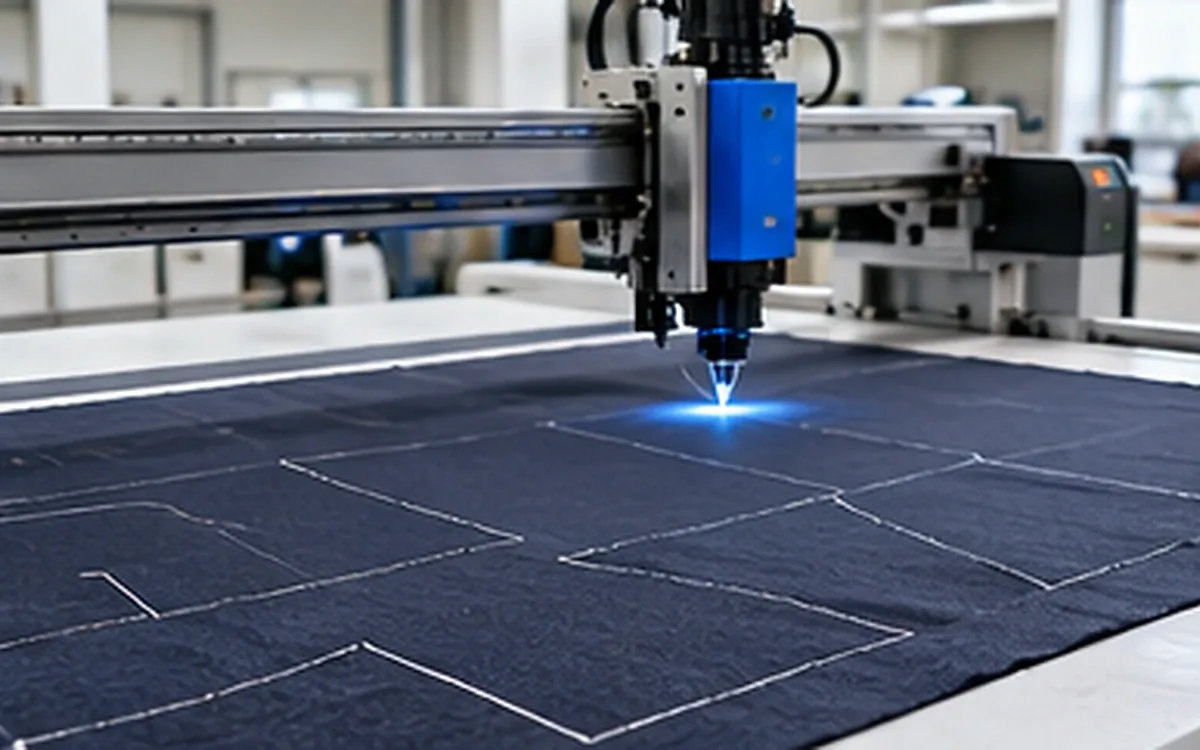
An apparel CAD demonstration can look convincing while leaving the hardest questions unanswered. The pattern opens, the model turns on screen and the operator changes a hem in seconds. But did every size arrive? Are the notches still in the right place? Can the factory reopen the file and make the next change?
Good apparel CAD software selection starts with those questions. Computer-aided design must support the work that your pattern team does, using the files and equipment that your partners can accept. A polished demonstration is useful, but it needs a controlled trial behind it.
The method below compares systems through the same garment task. All dimensions, timings and scores are invented training examples. They show how to build evidence; they are not test results for any named product.
Define the work before choosing the software
Start with a short account of the pattern room's real work. Does the team draft new styles from blocks, alter supplied patterns or mainly grade approved designs? Does it work with woven shirts, stretch garments, tailored products or several product groups? Different jobs put different demands on the tools.
A team that edits complex curves needs more than the ability to display them. It must move points, manage seams and check connected pieces without losing control of the shape. A supplier that receives patterns from several buyers may place more weight on file exchange. A small development team may care most about how well one person can take a style from first draft to a checked size set.
Separate the main software functions:
2D pattern work: create, measure, edit, label and grade flat pattern pieces.
3D garment work: assemble digital pieces, apply material properties and review a garment on an avatar.
Output and exchange: send suitable files, reports or full-scale drawings to the next user.
Some products combine these functions. Others require separate modules, options or subscriptions. Check the exact edition offered in the quotation. For example, Lectra's Modaris product page distinguishes tools for creating patterns from editions aimed at grading and preparing existing patterns. A product family name alone does not define the working package.
Write the required outcome in plain terms. “Edit a supplied jacket and return a checked five-size pattern set” is testable. “Improve digital capability” leaves the supplier to decide what success means.
Also define where the CAD file ends and the product record begins. Approval history, materials and specifications may sit elsewhere. ApparelDiary's guide to apparel PLM explains that wider development record. The trial should show which information moves between systems and which must be maintained separately.
Prepare one trial pack for every candidate
Choose a style that represents normal work, with one or two features that often cause difficulty. Do not pick only the simplest garment in the range. Equally, a rare experimental design may give a poor picture of daily use.
Use files that the business has permission to share for evaluation. Give each candidate the same starting material. Keep an untouched master so later results can be compared with the original.
The pack should contain the base pattern, size list, measurement requirements and a piece register. Add the required grainlines, notches, internal marks and cutting quantities. Identify the expected seam and cut lines. If a feature is unclear in the starting file, resolve it before judging the software.
For an example trial, suppose a style has 12 pattern-piece definitions across four sizes. The expected size-piece count is:
12 piece definitions × 4 sizes = 48 size-piece combinations.
This is an inventory of digital definitions. It is not the number of fabric parts needed for one garment. A sleeve definition may require a mirrored pair, while a collar part may be cut twice. Record those cutting instructions separately. Otherwise, a count can appear correct while the garment kit remains incomplete.
Include a known 250 mm reference line and a curved seam that can be measured independently. Identify which size is the base. A file that labels the sizes correctly but assigns the wrong geometry to them must fail the size check.
Before the trial, agree on acceptance limits for the measurements that matter. Base them on the product, downstream process and measurement method. There is no single CAD tolerance that suits every garment and every exchange route.
Keep a compact evidence sheet
Use the following structure for each candidate. It records the result and the conditions under which the result was obtained.
Trial item | Evidence to retain | Question answered |
|---|---|---|
Software package | Edition, modules and build number | What was actually tested? |
Input files | Format, units and source revision | Did each system start from the same data? |
Pattern checks | Piece register and measurement results | Did the intended geometry survive? |
Change task | Before and after files, with a change note | Can the user make a controlled revision? |
Returned package | Files opened by the receiving user | Can the next team continue the work? |
Time record | Work, checking and correction times | How much effort did an acceptable result take? |
Save failed attempts as well as the successful result. A setting discovered after several retries is part of the evidence. It may be easy to document and repeat, or it may reveal a fragile process that depends on one specialist.
Name the people who will judge each part of the trial. A pattern maker can assess shape and editing, while the receiving supplier can confirm whether its own system accepts the return file. The person who installs and supports the software should check access and recovery. One demonstrator should not have to speak for all these users.
Keep a brief issue log with the observed fault, affected files, proposed fix and repeat-test result. For example, “size L missing” is more useful than “import problem.” Record whether the fix changed a setting, corrected the starting data or required manual work. A successful retry closes that particular issue only after the full affected size set has been checked again.
Test exchange through the receiving system
“Supports DXF” is a starting point for a question, not a complete answer. Ask which apparel exchange variant is supported, how grading is stored and which options are required. Then test the actual sending and receiving versions.
CLO's DXF documentation shows why settings matter. Its options cover format, scale, notch handling and the relationship between sewing and cutting lines. Grade rules may be included in the DXF or supplied through a separate rule file. The needed settings depend on the exchange route.
First compare the piece register. Check missing pieces, duplicate outlines and size names before judging the drawing. A screen full of nested patterns can hide an absent size. Open each expected size and check that its pieces are present.
Next check scale. Suppose the 250 mm reference line arrives as 25 mm:
Imported length ÷ expected length = 25 ÷ 250 = 0.1.
The imported line is one tenth of the required length. Investigate the unit settings and the source file. Do not simply enlarge the whole style and declare it fixed. You still need to know whether text, notches, internal marks and grade information were interpreted correctly.
Compare curved seams as paths, not just their end points. Review grainlines, drill marks and notch directions. Check whether a line that should be a seam became a cutting boundary. These are separate tests; a correct overall width does not prove that the internal information survived.
GRAFIS's pattern-import guidance describes practical exchange issues, including size assignment, scale, curves and notches. It also makes clear that exchange is not fully automatic in every case. Treat such guidance as a reason to test your own files, rather than evidence that all files will fail or all systems behave alike.
Make a measurement result useful
Suppose a chosen seam path measures 300.0 mm in the approved master and 300.4 mm after exchange. The difference is:
300.4 − 300.0 = 0.4 mm.
Relative difference = 0.4 ÷ 300.0 × 100 = 0.133%, rounded.
For this fictional test, the team agreed in advance that this path may differ by no more than 0.5 mm. The result passes that one length check. It does not prove that the curve has the same shape. Two different curves can have equal lengths, so compare their form and key points as well.
The check also depends on measuring the same path in both files. Comparing a seam line with a cut edge gives a different question. Use the same endpoints and identify any excluded section, such as an overlap. If one result comes from a printed copy, consider the printing scale and physical measuring method too. Do not attribute every difference to the CAD engine.
Separate the editable master from an exchange copy
A native archive and a neutral exchange file may carry different information. Ask what is included in each. Pattern geometry alone may not preserve the notes, measurement charts or other data needed to continue development.
AccuMark's export help describes selectable elements in a native zipped package, including notes, measurement charts and grade-rule data. It also lists other export formats for particular data types. This is useful evidence that an export command needs a defined purpose.
Keep the editable master under revision control. Export a named copy, open it in the receiving system and compare it with that master. If a colleague must repair the file, retain the repair record and repeat the relevant checks. The trial passes when the required result works at the receiving end.
Make a real pattern change and inspect its effects
Importing a file is only the beginning of a development trial. Give the operator a clear revision brief and let them carry it through to a checked output.
For example, increase a pocket's finished width by 8 mm and extend the garment hem by 12 mm. State which dimensions refer to finished seam lines and which refer to cut edges. Give the starting allowances and the intended construction. Without those facts, different users may produce different patterns while each follows the wording reasonably.
If the pocket width grows equally about its centre line, each side moves outward by 4 mm. That is a rule for this exercise, not an automatic rule for every pocket. The finished width may change while a related facing, turnback or placement mark needs its own edit.
Ask the user to identify all affected pieces before making the change. Afterward, inspect the pocket opening, facing relationship, seam lengths and placement marks. Review the hem shape at adjoining seams. A simple vertical extension can leave an unsuitable corner or a mismatch when the garment is assembled.
Observe how the software helps the user find related work. Linked or parametric features can be useful, but their effect must be visible. A change that travels through several pieces should be checked just as carefully as a manual change.
Finally, save the revision, close the project and reopen it. Ask a second user to explain what changed using the saved record. If the answer depends on a conversation with the first operator, the handover is incomplete.
Grade with the required size relationships
Grading should follow the approved size requirements. It is not a general enlargement of the garment image. Use a trial that includes at least one unequal increment, since equal steps can conceal a poor size setup.
Consider these fictional half-width targets at one agreed measurement line:
Size | Target half-width | Increase from previous size |
|---|---|---|
S | 480 mm | Not applicable |
M | 500 mm | 20 mm |
L | 530 mm | 30 mm |
The S-to-L increase is 50 mm, but it is divided into a 20 mm step and a 30 mm step. A system set to add 25 mm at each step would produce 505 mm for M. The largest and smallest sizes could look correct while the middle size is 5 mm too wide.
These measurements do not, by themselves, specify how every grade point should move. The pattern maker must use an appropriate grading method and preserve the intended shape. Check other affected dimensions and seam relationships after the grade is applied.
Inspect every size, including the base, after export and reimport. Check whether size labels map to the expected dimensions. Confirm that the receiving user can edit the needed grade information, rather than merely view separate outlines.
Keep shrinkage treatment explicit. A style may already include a documented material allowance. Do not add it again because the imported shape looks different from a finished measurement chart. ApparelDiary's shrinkage and pattern-allowance guide explains how that decision relates to measured fabric change. The software trial should test how the chosen treatment is recorded and retained.
Add a separate 3D trial when the job needs it
A 3D review can help the team discuss shape and identify areas that need attention. Its usefulness depends on the information fed into the simulation. Keep the 2D pattern checks even when the digital garment looks convincing.
Build the 3D case from the same checked pattern revision. Confirm the virtual sewing relationships and the size being shown. Record the avatar, pose, material settings and simulation mode. Those conditions should stay consistent when comparing results.
Material appearance and material behaviour
A fabric image can describe colour and surface appearance without describing how the fabric bends or stretches. Use the available physical-property data for the intended material and record where it came from.
Browzwear's Fabric Analyzer documentation identifies properties such as mass, thickness, bending, stretch and shear in the digital-fabric workflow. The practical lesson is to inspect the material inputs. A similar-looking texture does not establish similar mechanical behaviour.
If measured data are unavailable, label the material as an approximation. Use the result for the decisions that approximation can support. It should not silently become evidence that the real fabric will fit or drape in exactly the same way.
Avatar dimensions and simulation settings
Compare the actual avatar measurements with the intended body data. Entering a value does not always mean that every related body dimension takes the expected form. CLO's avatar-size guidance distinguishes entered values from the measurements actually applied to the avatar.
Use the pose required for the review and record it. A static view can answer some shape questions while leaving movement and comfort unresolved. Compare the digital result with an appropriate physical sample where the approval decision requires that evidence.
Simulation modes also matter. CLO's simulation guidance describes modes intended for different tasks, including general work and fitting review. A timing comparison should state which mode was used. Otherwise, two demonstrations may be doing different jobs.
Judge the 3D trial against specific decisions: identifying a pattern mismatch, locating a review area or comparing an agreed design change. Avoid a single claim such as “the fit is accurate” without a defined garment, material, body and check method.
Measure time only after checking the result
Record the work in stages: opening the files, making the change, checking it and preparing an acceptable return package. Include the time spent correcting exchange errors. Keep training time visible, but separate it from the time for a repeated task.
Suppose the present method takes 45 minutes for a checked revision. A candidate system completes the visible editing task in 31 minutes, then needs seven minutes of cleanup and checking:
Total candidate task time = 31 + 7 = 38 minutes.
Time reduction = 45 − 38 = 7 minutes.
Percentage reduction = 7 ÷ 45 × 100 = 15.6%, rounded.
Comparing 31 minutes with 45 minutes would overstate the gain because the candidate result was not yet ready. The example also does not prove a saving on all future styles. Repeat the task with suitable users and more than one representative design.
Record assistance from the demonstrator. A task completed through expert intervention may still show a useful capability, but it does not show that your team can yet repeat it alone. Give users reasonable training before drawing a conclusion about ease of use.
Use mandatory checks before weighted scores
Some requirements should act as gates. The software must preserve the required geometry, support the agreed exchange route and produce an editable result for the next user. A high score for convenience cannot make a missing critical size acceptable.
Once candidates pass those gates, a weighted score can make the remaining trade-offs visible. Set the weights before reviewing results. Define what each rating means and attach a short evidence note.
In this fictional example, ratings run from one to five. Both candidates have passed the mandatory checks.
Criterion | Weight | Candidate A | Candidate B |
|---|---|---|---|
Pattern editing and checking | 30% | 4 | 3 |
Exchange with actual partners | 25% | 4 | 4 |
Grading workflow | 20% | 3 | 4 |
Routine user effort | 15% | 4 | 3 |
Support and recovery process | 10% | 3 | 4 |
Weighted score for A = 0.30 × 4 + 0.25 × 4 + 0.20 × 3 + 0.15 × 4 + 0.10 × 3 = 3.70.
Weighted score for B = 0.30 × 3 + 0.25 × 4 + 0.20 × 4 + 0.15 × 3 + 0.10 × 4 = 3.55.
A leads by 0.15 points under these chosen weights. That small difference is a prompt to inspect the evidence. It is not a universal ranking. If grading is central to the team's work, test whether that lower score reflects a real weakness or limited training.
It helps to test how much the decision depends on the weights. Suppose a second plausible case shifts ten percentage points from editing to grading. The weights become 20%, 25%, 30%, 15% and 10%. With the same ratings, A scores 3.60 and B scores 3.65. B now leads by 0.05 points.
That reversal shows that the choice is sensitive to the team's priorities. It does not justify changing weights after seeing a preferred result. Discuss which workload the weights represent, retain both calculations and gather more evidence where the ratings are uncertain. A narrow numerical lead should not hide an unresolved working requirement.
Check the working setup before committing
Run the final trial on the type of computer the team will use. Review the current requirements for the exact software version, operating system and intended features. CLO's current system-requirements page separates minimum and recommended hardware and describes feature-specific conditions. Meeting a minimum specification does not establish performance on your trial garment.
Confirm module access, concurrent use, installation rights and the support route in the written offer. Check how the team restores a saved project and retrieves an earlier revision. Open a restored copy during the trial; a backup that no one has tested leaves an unanswered question.
Ask how files can be retained and exported if the service or licence changes. Confirm the answer for your contract and chosen formats. Do not assume a neutral export replaces every feature of the editable master.
Finish with a short decision record: the work tested, software build, passed gates, unresolved issues and the reason for selection. Assign an owner to each remaining issue. Repeat the affected checks after a major software update or a change in a key partner's exchange route.
The best choice is the system that supports a repeatable, checked pattern-development process for this team. Keep the trial files and evidence. They become a useful starting point for training, support discussions and future changes.



Discussion0
Loading the discussion…