
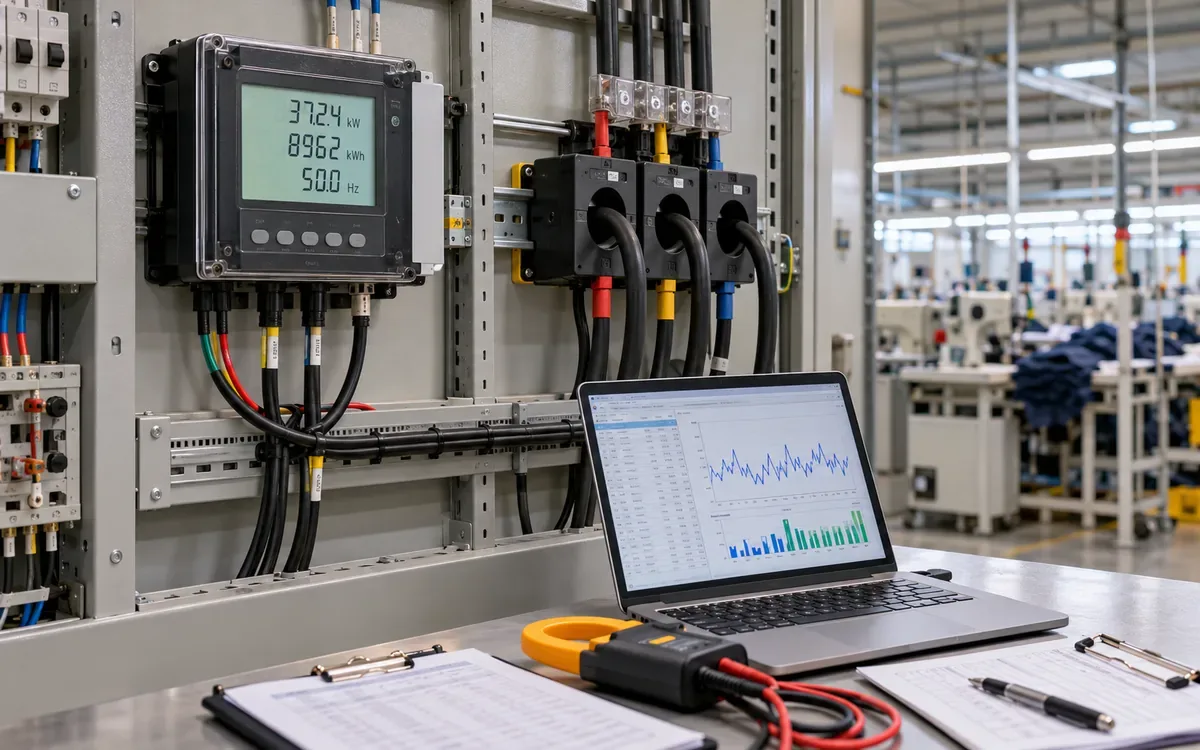
A factory energy dashboard can look precise while its data is wrong. One meter may report watt-hours while the chart expects kilowatt-hours. A current transformer ratio may be applied twice. A meter reset may appear as a large energy saving. None of these faults needs a complex model to cause trouble.
Factory energy meter data validation is the work that catches such errors before staff use the numbers. It follows a reading from the meter to the stored record, then to the daily total and the chart. The goal is to prove what each value means.
This guide sets out a practical release process. All numbers in its worked examples are hypothetical. Use the actual meter manual and site design for the real system. Electrical checks and changes belong to qualified staff using the site's safe work procedures.
Begin with the decision the meter must support
A meter used to track a monthly trend has different needs from one used to assess a short peak. State the purpose first. It sets the required interval, time accuracy, data quality and review effort.
The DOE metering guidance page links metering plans with the use of the resulting data. Buying devices without a clear use can leave a factory with many readings and few reliable answers.
For each planned metric, write a plain definition. “Sewing hall energy” should name the covered circuits and the time period. “Daily energy per accepted piece” should also define the output count and shift boundary. Do not let the chart designer guess these details.
Keep this work separate from choosing the wider software stack. ApparelDiary's manufacturing analytics guide explains that broader choice. Here, the question is narrower: can the data feeding the chosen system be trusted for its stated use?
Create a channel register
Give each physical meter and each data channel a stable identity. A display name can change; its underlying identity should remain traceable. Record the serial number, model, firmware, location and circuit served.
For every channel, record the measured quantity, unit, register address, data type, sign rule and update rate. Include any scale factor. State whether the value is an instant reading, an interval total, an average or a running counter.
Register field | Example entry | Why it matters |
|---|---|---|
Meter ID | MTR-HALL-02 | Keeps records tied to one device |
Channel | Imported active energy | Defines direction and quantity |
Unit | kWh | Prevents a scale error |
Value type | Cumulative counter | Requires differences for use |
Time stamp | End of interval, UTC | Defines the covered period |
Scaling | Already primary-side | Prevents a second ratio correction |
Quality state | Valid, missing or estimated | Keeps uncertainty visible |
Save the manual page or register map that supports each setting. A generic driver profile may be close but still use the wrong register for a specific model.
Confirm the physical measurement boundary
Draw a simple meter tree. Show the main supply, each branch and any local generation or storage. Mark which meters sit upstream or downstream of other meters. This prevents double counting later.
A sewing hall submeter may include lights, fans and sockets as well as machines. Label it as a hall total unless those loads have been split. Calling it “sewing machine energy” would create a false meaning even if the meter itself were accurate.
Check the as-built circuit records with the site team. A relocated line may still appear under its old meter name. A shared compressor may feed several halls. A meter label alone is weak evidence of the current load boundary.
Use ApparelDiary's factory utility load register guide to keep the equipment and utility links current. Add the meter IDs to that register rather than maintaining two unrelated lists.
Apply CT and PT ratios only where required
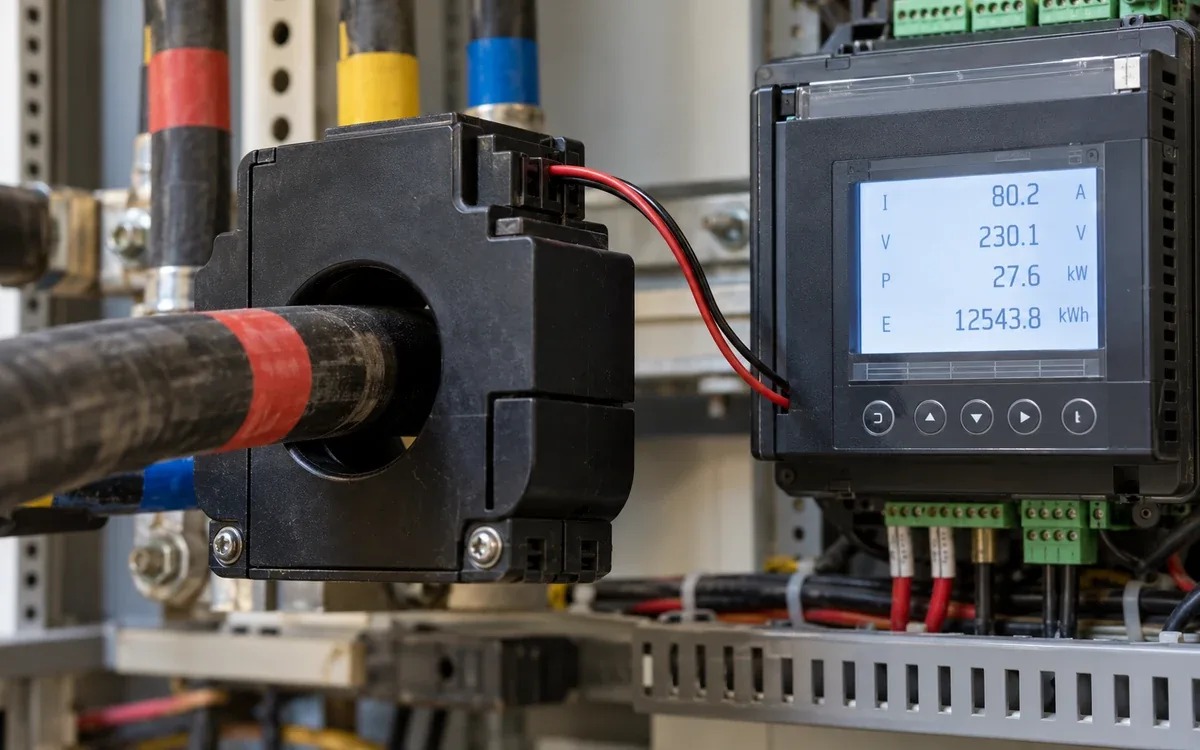
A current transformer, or CT, reduces current to a level the meter can use. A potential transformer, or PT, serves a similar role for voltage. The meter or software may already scale readings back to the primary side.
Suppose a CT ratio is 100/5, or 20:1. A simplified secondary-side current of 4 A corresponds to 80 A on the primary side. If the meter already reports 80 A, multiplying it by 20 again would produce a false 1,600 A.
The same risk applies to energy. Do not assume every register needs the CT and PT ratios. Schneider Electric's ION8650 scaling note describes model-specific settings that affect reported values. It shows why the device's own setup and register definition matter.
Record where each correction occurs: meter, gateway or database. The approved data path should apply each required scale once. Save the setup values and compare a live meter display with the received channel during a controlled check.
Distinguish energy, power and apparent power
Energy in kWh measures use over time. Power in kW is a rate. Apparent power in kVA is another quantity. Relabeling one as another does not convert it.
If an interval contains 48 kWh over 15 minutes, its average active power is:
Average kW = interval kWh ÷ interval hours = 48 ÷ 0.25 = 192 kW.
Do not divide by 15 unless the formula also converts minutes to hours. Nor should the 192 kW average be described as the highest instant power in that interval.
If power samples are used to estimate energy, the time gaps and sampling method matter. A reading every minute is not automatically the average for that minute. Use the device's interval energy channel where it suits the purpose and is available.
Check prefixes too. One kWh equals 1,000 Wh; one MWh equals 1,000 kWh. Put the unit in the stored field definition. Do not rely only on the axis label of a chart.
Verify how the driver decodes the register
Meters often send several values through one protocol. The protocol defines how messages work, but the device map defines what a specific register means. A successful connection does not prove correct data.
The Modbus application protocol defines register and message behavior. Device data may use more than one register for a value. The driver must follow the maker's map for word order, signed values, floating-point format and scale.
Compare known readings at the meter, gateway and database at the same time. Test more than one load level. A wrong format may give a plausible result by chance at one value and fail at another.
Record error responses and stale reads as quality events. Do not convert a failed read to zero. Also check whether the driver silently repeats its last good value. That behavior can make a stopped data feed look like a stable load.
Convert cumulative readings into interval use
A running energy counter normally increases as energy flows in its defined direction. For two valid readings with no reset or rollover, interval energy is the later counter minus the earlier counter.
Time | Counter, kWh | Energy since prior row, kWh |
|---|---|---|
08:00 | 10,000 | Not available from this row alone |
08:15 | 10,025 | 25 |
08:30 | 10,052 | 27 |
08:45 | 10,080 | 28 |
The three intervals total 80 kWh. This equals 10,080 minus 10,000. That reconciliation is a simple check for gaps or duplicate intervals.
Do not sum the counter values. Their sum has no useful meaning as energy use. Do not assign the first counter value as the first interval's consumption either. It includes use before the data series began.
Keep raw counters even if the dashboard needs interval data. They can help reconstruct total use across a brief communications gap, provided the meter stayed valid and did not reset.
Treat resets as events, not negative consumption
Suppose the next reading after 10,080 kWh is 2 kWh. A simple subtraction gives −10,078 kWh. That is a signal to investigate, not a large saving to show on the daily chart.
A reset, replacement, wrong register or data fault may explain the fall. Use event logs and the work record to decide. A reset at a known time may allow separate before-and-after segments. Without enough evidence, flag the affected interval as unresolved.
Schneider Electric's reset guidance warns that a master reset can remove stored data. Preserve needed records before any approved reset. Do not reset a live meter just to make a dashboard total look tidy.
When a meter is replaced, keep both serial numbers and the change time. End the old series and start a new one. If a continuous display is needed, build it from documented segments rather than altering the raw counter history.
Distinguish a known rollover from a reset
Some counters wrap to a lower value at a known limit. This is called rollover. Its threshold and behavior depend on the device and channel.
For an illustrative counter with a known modulus of 100,000 kWh, a change from 99,990 to 15 kWh across one rollover gives:
Interval energy = 100,000 − 99,990 + 15 = 25 kWh.
This calculation is valid only if one rollover occurred and the stated modulus applies. A long gap could contain more than one rollover. A negative difference alone is not proof that any rollover occurred.
Schneider Electric's rollover note explains that some ION meters expose a rollover count. It also notes that changing the threshold can reset the current count. Use the device evidence; do not impose the example threshold on a real meter.
Keep the event type with the corrected interval. A later reviewer should see why the adjusted result differs from a simple subtraction.
Put all channels on a defined time basis
A time stamp can mean the start of an interval, its end or the time a server received the record. Those meanings are not interchangeable. Store the source time and receipt time separately where both are useful.
Use a consistent time basis for storage and a stated local time zone for display. Retain the time-zone rule needed to convert records. Where daylight saving applies, a local day can contain a repeated or missing hour. A naive list of local times can lose that distinction.
Define the shift boundary too. If a shift runs from 22:00 to 06:00, decide which production date owns it. Use the same rule for energy and output. Otherwise energy per piece can rise or fall simply because the two totals cover different hours.
NIST's timing testbed study demonstrates that clock accuracy and delays must be assessed, even when devices use a time service. A factory does not need that study's timing precision for a daily chart. It does need a justified tolerance for the intended comparison.
Test interval alignment with a real operating event
Choose an observed event that changes a known load, such as a planned end of shift. Compare its recorded time with the meter trend and the data server record. Do not create an unsafe switching event just for a test.
If the chart shows the event one interval late, check whether the time stamp marks the end rather than the start. If all channels shift by a fixed number of hours, check time-zone conversion. If only one meter drifts, check its clock and data path.
For parent and child meter balances, use the same interval edges. Adding 08:00–08:15 branch data and comparing it with an 08:05–08:20 main total can create a false loss during a load change.
Record the observed offset and the rule used to correct it. Keep the raw time. A silent time shift can break later comparisons with production or maintenance records.
Keep missing, duplicate and late records distinct
For one day of 15-minute intervals, a normal 24-hour schedule expects 96 intervals. That is a useful completeness check when the time basis has no daylight-saving change. It does not prove the values are correct.
Suppose only 92 valid intervals arrive. Coverage is 92 ÷ 96 × 100 = 95.83%. Report the missing four intervals. Do not show the sum as a fully measured daily total without a visible qualification.
A late record may fill a gap after the daily report is issued. Define whether the report updates and how the revision is logged. A duplicate should be detected using meter, channel and interval identity. Two records with the same key but different values need review, not an arbitrary choice.
If an estimate fills a gap, preserve the estimate flag and method. Keep measured and estimated totals available separately. Zero is a valid possible reading; missing is a different state.
Reconcile the meter tree without forcing it to balance
Assume a main meter records 10,000 kWh for a day. Synchronized branch totals sum to 9,400 kWh. The difference is 600 kWh, or 6% of the main total.
Call this an unallocated difference until its cause is known. It may include unmetered loads, different boundaries, losses, timing gaps or measurement error. It is not automatically stolen energy or wasted energy.
Check the topology first. A child meter already included within another branch must not be added twice. Then check interval coverage, scales and signs. Only after these checks should the team assess expected physical losses.
If solar, storage or export crosses the boundary, write the energy balance explicitly. For a simple site without storage, imported energy plus on-site generation equals site use plus export, subject to the defined boundaries and losses. Net imports alone do not show total factory consumption.
Check accuracy across useful operating conditions
Correct software cannot repair a bad physical measurement. The CT, voltage measurement, meter and installation all contribute to the result. Use the device's specified range and the site's required accuracy to plan checks.
OpenEnergyMonitor's calibration guide explains how sensor ratio, reference measurement and drift can affect a reading. Its product-specific figures should not be transferred to unrelated industrial meters. The general lesson is to assess the whole measurement path.
Use a suitable reference instrument and qualified staff for field comparison. Include representative low, normal and high loads where practical. Record the reference instrument, uncertainty, conditions and result. Agreement at one steady point does not prove all operating conditions.
Do not choose a universal percentage tolerance because it looks neat. The accepted error should fit the meter specifications and decision. A small savings claim may need tighter evidence than a broad monthly load trend.
Trace one fault from the chart back to the meter
Consider a hypothetical hall whose dashboard shows 6,400 kWh for one shift. The site engineer expects a much smaller amount. Do not start by changing the chart's scale. Trace the same shift through each layer.
The raw counter rises from 50,000 to 50,320 kWh, so measured use is 320 kWh. The meter display agrees with that change. The gateway then multiplies the difference by a CT ratio of 20. This creates the displayed 6,400 kWh. The meter had already applied the ratio, so the gateway has applied it a second time.
The correction is to remove the extra scaling at the approved stage. Record the old and new setting and the date it changed. Check whether earlier reports used the same fault. If they did, recalculate the affected periods from the saved raw counters. Explain the revision in the report log.
Then repeat the test with a second period. A single corrected total may agree by chance if another error remains. Compare the raw difference, gateway value, stored interval sum and chart total. Each should describe the same quantity and period.
This example also shows why raw data should be kept. If only the final chart total survived, the team would have less evidence for the repair. It might divide every value by 20 without knowing when the error began.
Do not confuse resolution with accuracy
A display with three decimal places does not prove a highly accurate result. Resolution describes the smallest displayed step. Accuracy depends on the device and the full measurement setup.
For a small load, a coarse counter step can also limit short-interval use. Two readings may be equal while a little energy has flowed. Longer intervals can reveal the accumulated change. Choose the interval with both the process and the meter resolution in mind.
Keep calculations at adequate precision, then round the final displayed value to suit the evidence. Avoid adding rounded daily figures when the unrounded source totals are available. Tiny rounding differences should not be treated as physical energy losses.
Use a staged release checklist
Release one channel only after its identity, units and time basis are clear. Then release derived values, meter balances and dashboard totals. This order helps isolate faults.
Check | Evidence of completion | If it fails |
|---|---|---|
Identity and scope | Serial, circuit and drawing agree | Correct the mapping |
Scale and units | Display and stored value reconcile | Review ratio and driver |
Counter behavior | Difference, reset and rollover cases checked | Hold affected totals |
Time basis | Interval edges and shift rule agree | Correct time mapping |
Data quality | Gaps, duplicates and estimates remain visible | Repair data handling |
End-to-end total | Raw record reproduces chart | Trace the failed stage |
Test these cases with a copy of data where possible. Software test records should not alter a production meter. Keep expected results with the test set so later driver changes can be checked against the same cases.
Preserve raw data and control later changes
Keep raw readings separate from cleaned values. Store the rule version used to derive each reported total. A reviewer should be able to repeat the calculation from the original inputs.
Changes to CT ratios, register maps, firmware or channel names need a dated record. Identify the first affected reading. If historic data needs repair, keep the earlier report and explain what changed. Rewriting history without a record can look like a real performance improvement.
Assign an owner for data faults. A meter alarm that nobody reviews is only another chart. Set review periods that fit the consequence of bad data. A daily production metric may need a daily check; a long-term utility balance may use a different cycle.
The PNNL guide to using metered data connects data analysis with energy and water evaluations. Good analysis starts with a reliable record. Keep the validation process active after the first dashboard release.
Frequently asked questions
Is a smooth trend proof that the data is good?
No. Repeated stale values and filled gaps can produce a smooth line. Check freshness, interval coverage and the raw channel. A smooth chart can hide a stopped feed.
Should every negative value be removed?
No. Export or a signed power channel may be negative by design. A negative difference in an import counter may mean a reset or rollover. Interpret the channel before changing its value.
Can a bill validate every submeter?
A bill can support a total check for matching dates and boundaries. It does not prove each branch is correct. Two branch errors can cancel in the sum. Validate each important channel as well as the whole-site balance.
When can the dashboard go live?
When its key channels and calculations meet the agreed checks, and unresolved limits are visible. A pilot with clear quality flags can be useful. An unqualified total built from unknown units and gaps should remain under review.
Make each chart traceable to a trusted reading
Validate meaning before appearance. Confirm the meter boundary, ratio, unit, register and time basis. Handle resets, rollovers and missing records as distinct events. Reconcile totals without hiding unexplained differences. A factory can then use the dashboard to ask better energy questions, with a clear path back to the evidence behind each answer.
References
DOE: Metering in Federal Buildings.
Schneider Electric: ION8650 CT and PT scaling.
Modbus Organization: Application Protocol V1.1b3.
Schneider Electric: ION8650 reset behavior.
Schneider Electric: Energy counter rollover.
NIST: Timing Accuracy in the Cyber-Physical Systems Testbed.


Discussion0
Loading the discussion…