
Control the path from a digital effect to real denim
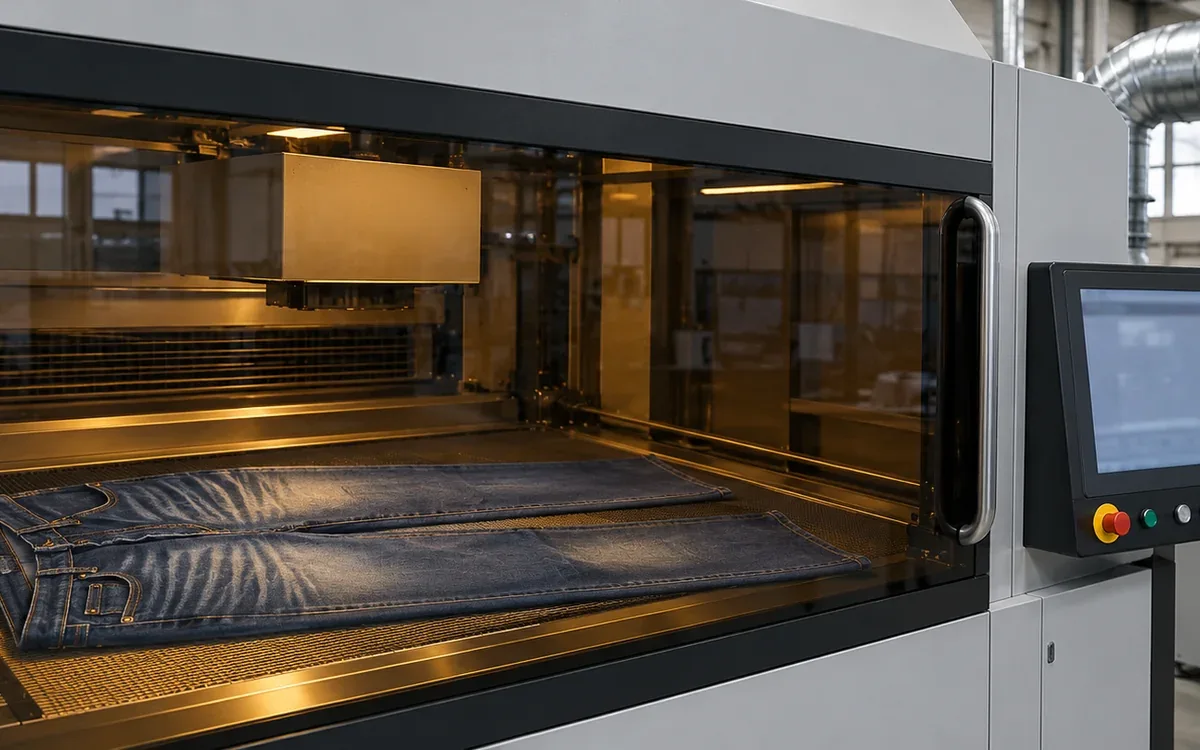
Laser denim finishing turns a digital design into a local change on the garment surface. It can create whiskers, worn areas, patterns and fine details. A programmed path helps repeat the design.
The final result still depends on the material and how the garment is held. A file approved on one denim lot may look different on another. A well-designed whisker can sit too low if the garment is loaded from the wrong reference.
Later washing and drying can also alter the appearance. Approval should cover the complete route. A check as the garment leaves the laser is just one stage.
Treat the digital file, material response, placement and final finishing as linked controls. Name each one in the approval record. This gives the team a clear basis for repeating a good sample.
Understand what the laser changes
A finishing laser applies energy to selected areas of the surface. The colour and material may then change. The result depends on the laser system, settings and textile.
Jeanologia describes its denim laser technology as a thermal marking process used to develop worn effects and other designs. Test the fabric's response along with the artwork before approving either one.
Do not describe the process as one that always removes only colour. Too much exposure can change the textile itself.
A study by Sarkar, Al Faruque and Khalil studied tear strength in laser-engraved denim. The study looked at resolution and pixel time. It shows why the team needs to check strength as well as the visible result.
Use published studies to find which factors deserve a test. Their settings are not a ready-made recipe for a different fabric or machine.
Turn the wear brief into features that can be checked
Begin with the approved garment design and the intended worn effect. List the key features that make the look distinct.
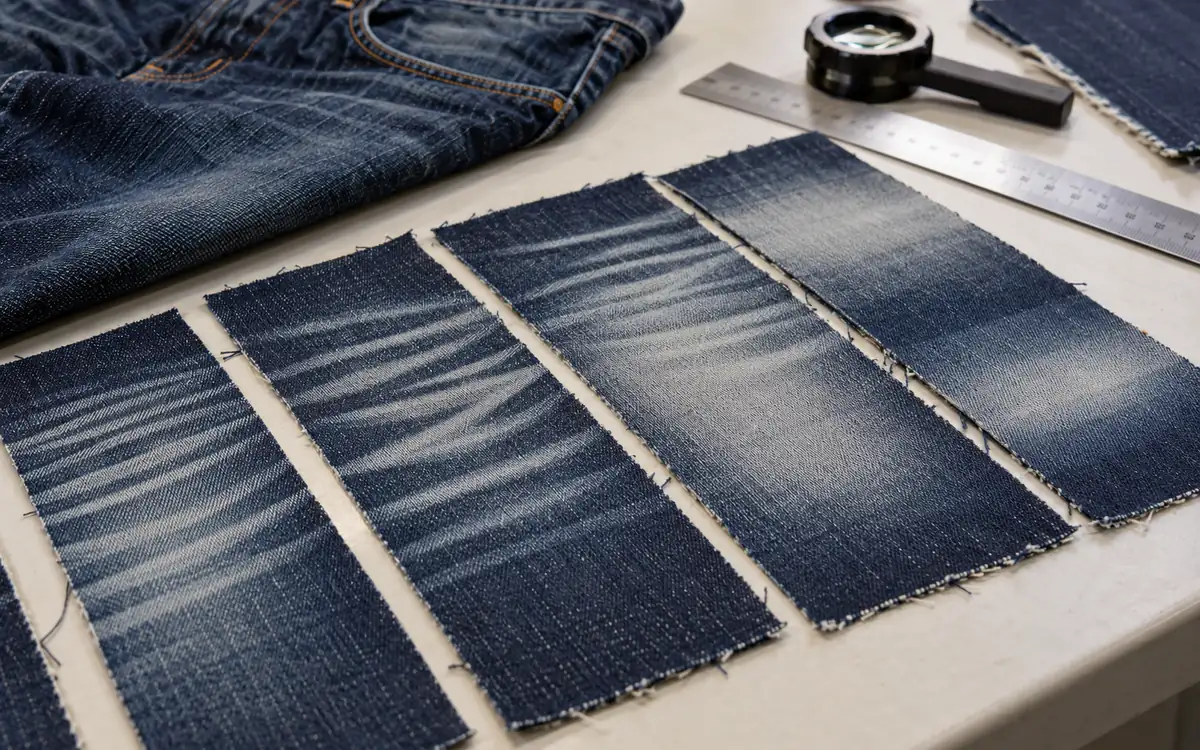
For a whisker design, these may include the origin point, curve, spacing, width and fade toward the ends. For a worn thigh area, record the area covered and how the tone fades. Note where the effect sits in relation to seams.
Distinguish planned variation from defects. A natural worn effect may contain uneven lines. Those lines should still come from an approved design.
Record the areas to protect around logos, closures and other details. State whether the effect may cross seams or must stay within a panel.
Use the testable garment collection brief for the wider design intent. The laser record should turn that intent into clear features on the surface. It must show where production needs to place them.
Keep a physical target where possible. A screen image alone cannot show the denim's handle, texture or final wash response.
Choose artwork that is owned and fit for the process
Use original or properly licensed artwork and wear-effect assets. Keep the source and rights information with the design record.
A photograph of an old garment can serve as a reference for the effect. It usually needs careful editing before it becomes a production file. Background shadows, creases and lighting can turn into unwanted tonal information.
Remove unintended borders, marks and image noise. Check the design at its intended physical size. A zoomed view on a screen can hide a scale error.
Decide how to build each feature. It may need vector artwork, a raster image or the machine software's own tools. Follow the system's supported workflow.
Do not assume that importing an image preserves every setting. Colour mode, resolution and scale can change during conversion. The system may also interpret tones in a different way.
Keep the editable source separate from the approved production output. This leaves room for later design work. The team can edit the source while keeping the released file intact.
Understand pixels, physical size and resampling
The chosen resolution links the pixel count to the physical size of the image.
Take a hypothetical image that is 1,200 pixels wide. At 120 dots per inch, its width is 1,200 ÷ 120 = 10 inches, or 254 mm.
Now place the same pixel count at 150 dots per inch without resampling. Its width becomes 8 inches, or 203.2 mm.
The design is now 20% narrower in physical size. It may still look familiar on the screen. That makes the error easy to miss.
Resampling changes the pixel data to fit a new size or resolution. It can affect edges and fine tonal detail.
Record the final physical size and how the system reads the file. A filename that contains the word large does not control size.
These numbers illustrate image geometry. They do not set the laser resolution. Nor do they prove that the same image will give the same effect on different systems.
Check transitions at the final physical scale
Conversion can turn a smooth digital fade into a visible band or a hard edge. Examine the transition on a material test, not only in the source image.
For a hypothetical design, a fade extends over 20 mm. Suppose a scale error reduces the artwork to 80% of its intended width. The transition becomes 16 mm. The same tonal range now fills less space. This can change how the fade looks.
Fine texture can also disappear when the file is resampled. Editing a reduced file again may lose more of the detail found in the original.
Return to the controlled source for revisions and export through the approved settings. Keep a physical reference for key transitions. Examples include the edge of a thigh fade or the end of a whisker. These small areas often determine whether the whole effect looks natural.
Do not equate screen grey with delivered energy
A grey value in artwork is a command for the software and machine. It is not, by itself, a measured energy value.
The system may map tones to power, dwell, pulses, passes or other controls. The way this works depends on the system and selected mode.
Jeanologia's eMark X information describes design-dependent marking modes and size selection. Keep the selected mode and software version with the production record.
Changing a light grey to a dark grey can alter more than the tone seen on screen. It may affect the textile response and the time needed to mark the area.
Use a qualified tonal test on the actual material. Label the tested regions and assess them after the final route.
Avoid promising that twice the displayed grey value means twice the exposure or twice the fade. Use the system guide and controlled samples to learn how it responds.
Build a material response library
Test and approve the material before refining a complex design. Record the denim's fibre blend and construction. Add its colour system, weight and finishing history.
Record the fabric lot and the garment preparation stage. Fabrics sold as the same type can still differ in ways that affect the surface result.
Use a test file with clear labels for each feature. Include tone steps, fine lines and broad areas. Add transitions that matter to this design.
Run the test with the approved equipment controls. Then complete the planned wash and drying stages. Retain both the pre-wash and final observations where useful.
Note which features stay clear and which merge. Record any unwanted change in the material. These results form a reference for this material.
Do not turn this library into a collection of unverified settings. Each entry needs a record of the material, equipment and route. Add the test evidence that supports it.
Set a usable process window
The preferred setting should have room for normal variation. A sample may work only within very tight limits. If so, it may be hard to repeat in production.
Plan a trial to explore the relevant system controls. Stay within the equipment maker's limits. Make sure the results can be compared on a clear basis.
Judge appearance and integrity together. A stronger fade may cause too much strength loss. It may also make the surface harsh or damage a stretch component.
Check the final wash effect. An attractive untreated laser mark may become too pale, too sharp or uneven after later processing.
Select a route that meets the brief with enough margin for normal variation. State which changes need a new trial.
Do not copy a setting from a research paper or another supplier's machine without qualification. A control with the same name may deliver a different exposure.
Place garments using stable landmarks
Choose reference points that each operator can find in the same way. Seams, waistband edges or fixture features may be useful, depending on the design.
Do not rely on a loose hem edge if its position varies a lot. Choose a reference that relates to the feature being placed.
Define garment orientation and loading condition. State how to hold the piece. It may lie flat, sit on a form or use another approved fixture.
Tonello's laser range includes tables and mannequins, with support from its design software. The choice changes how the garment is held. Check placement using the chosen method.
Check folds and hidden layers before marking. A wrinkle can shift a feature or create an unintended local exposure.
Use the machine's approved alignment tools. Confirm that the projected guide matches the actual marking position. The guide is useful only after this check.
Work through an alignment allowance
Suppose a hypothetical design must remain at least 12 mm from a pocket edge. The approved artwork places it 18 mm away when the garment is loaded exactly.
The nominal allowance is 18 − 12 = 6 mm.
Suppose placement and garment variation can move the design 7 mm toward the pocket in the worst case. The gap then becomes 11 mm. The arrangement does not meet the stated requirement.
The team could move the artwork or improve the fixture. It could also change the reference or tighten a process tolerance that the method can support.
Do not simply tighten the written tolerance if the loading method cannot achieve it. Measure the real variation first.
A worst-case allowance is different from a statistical estimate. State which approach is used and why. These hypothetical numbers show why placement accuracy must be linked to design clearance.
Adapt the design across sizes deliberately
A larger garment does not always need the whole artwork enlarged by one percentage. Body landmarks and pattern changes can move differently.
For example, the start of a whisker may need to stay near the fly and upper hip. Its outer end may need to move as the panel width changes.
Check the smallest, largest and relevant intermediate sizes. Use the actual graded garment construction.
In a hypothetical case, a base design is 220 mm wide. Increasing it by 10% gives 242 mm. Suppose the clear panel width increases by only 12 mm. Enlarging the whole image by 10% may then use more clearance than expected.
Review the design relative to seams and protected areas. An image scaled by a precise ratio can still look misplaced on the body.
Save approved size variants with clear identities. Do not allow production to stretch the file freely to make it appear to fit each garment.
Control left, right, front and back versions
Mirroring can be convenient, but it should be a design decision. A mirrored effect may look artificial. It may also put a feature in the wrong place near a part that is not symmetric.
Label the intended side and viewing orientation. A file called left can cause confusion. State whose left side the name refers to.
Use a visual preview or thumbnail that shows the garment orientation. This helps the operator distinguish a front-left panel from a back-left panel.
Check the loading fixture and software selection together. The correct file on the wrong orientation still produces a wrong garment.
Where a garment is turned for another pass, define the sequence and reference points. Confirm that the second operation does not misplace the effect relative to the first.
Retain an approved whole-garment sample. Checks on single panels may miss a poor match between the front and back effects.
Validate the complete finishing sequence
Laser marking may occur before or after other finishing steps. The order affects the starting surface and final result.
Levi Strauss & Co.'s Project F.L.X. account illustrates digital design as part of a wider denim finishing system. Digital control helps, but the rest of that system still needs trials and approval.
Record preparation, the laser stage, later washing and final drying. Use the same sequence when comparing development samples.
If a later process changes, reassess the laser effect. A different wash may reveal or remove details differently.
Inspect residues and the final surface through the approved cleaning route. Do not accept a garment solely from the immediate mark.
Keep the final care requirements in the validation. The effect should remain acceptable after the route that the finished product permits.
Assess the regions that receive the strongest treatment
Choose tests and inspections to suit the garment and effect. A specimen from an untouched area may not show the strength of the most treated region.
Map the specimen locations. Record the design version for each tested garment. Keep its processing history as well.
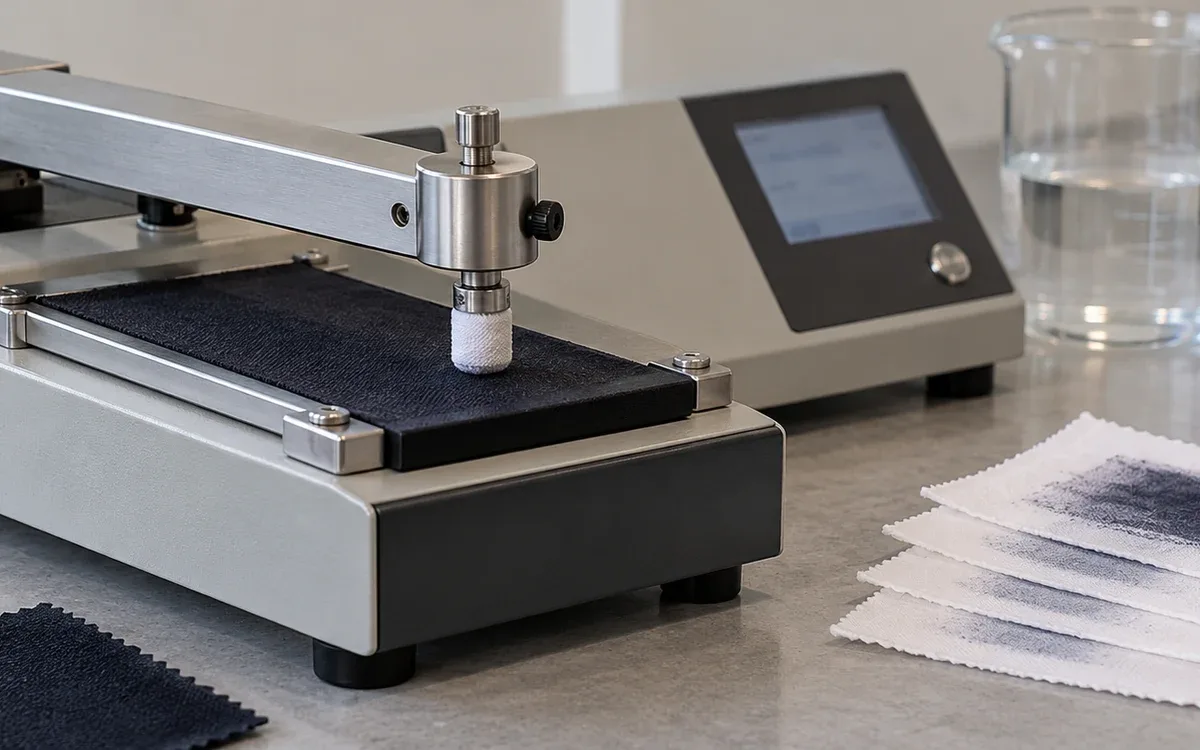
Use agreed methods for the required breaking, tearing, seam or stretch properties. The correct choice depends on the material and intended use.
Take a hypothetical matched control with a tear result of 45 N. The treated region gives 36 N using the same agreed method. Retention is 36 ÷ 45 × 100 = 80%.
That figure is not an automatic pass. Compare the final result with the project requirement and apply the stated decision rule.
Inspect local surface damage as well. A laboratory result on one region does not excuse a visible hole or broken structural stitch elsewhere.
Use a practical defect map during development
Observed fault | Useful first comparison | Likely control area to investigate |
|---|---|---|
Effect too low on the leg | Loaded garment against approved landmarks | Fixture and placement |
Fine lines merge | Final file against physical-size test | Artwork conversion and material response |
Uneven tone across one panel | Flatness and material identity | Presentation, fabric or equipment condition |
Strong mark after laser but weak final effect | Before- and after-wash samples | Complete finishing sequence |
Local surface damage | Strongest design region versus control | Qualified exposure and material margin |
Correct size file on wrong side | File preview and loading record | Orientation control |
The table guides the investigation. It does not prove a cause from appearance alone.
Keep one controlled comparison at a time where practical. Changing the artwork, material and machine settings at once may remove a defect. It can also leave the cause unclear.
Record what changed and which evidence supports the new route. This helps prevent the same issue when another operator loads the job.
Manage the production file as a released item
Give each approved file an identifier and revision. State what it is for. Include style, size and side, plus the material family and machine route. Link the approval sample.
Keep the editable artwork separate from the released output. Follow the factory's normal approval rules for production changes.
A checksum can help confirm that the intended file was loaded. Another reliable file check may serve the same purpose. It does not prove that its settings or physical placement are correct.
Include the software and relevant machine configuration in the record. A later software change may alter how the file is read or which modes are available.
Keep old files in controlled records, away from the normal selection path. Several files with almost the same name make selection errors more likely.
When a change is approved, identify the first production lot using it. This keeps the appearance and test evidence connected to the actual garments.
Check restart and transfer conditions
A paused job, a machine restart or a transfer to another unit can create a new verification point.
Confirm the selected file, garment orientation, fixture and operating mode before resuming. Use the machine maker's restart procedure.
Compare output before treating two machines of the same model as equal. Their condition, optics, calibration and setup may differ.
Run a suitable first-piece check after a major transfer or change. If the fresh mark is not enough for approval, compare the piece after the full final route.
Keep maintenance actions in the process history. The optics or alignment may need service. That work can also change the basis for the earlier settings approval.
Use the retained test file and material reference to check the change. Find the cause before adjusting the production artwork.
Plan throughput from the whole operating cycle
Marking time is only one part of output. Loading, alignment, unloading, orientation changes and inspection also occupy time.
For a hypothetical single-station cycle, marking takes 42 seconds. Loading and alignment take 18 seconds, unloading takes 8 seconds, and the included check takes 7 seconds.
Total cycle time is 75 seconds, giving an ideal rate of 3,600 ÷ 75 = 48 attempted garments per hour.
Suppose 95% of pieces pass this stage, based on observed output. The simple estimate is then 45.6 accepted garments per hour. This excludes extra downtime and later finishing losses.
A machine that overlaps loading and marking needs a different timing model. Some tasks happen at the same time. Do not add their durations as though they all occur in sequence.
Use actual observation for the chosen layout. A supplier's fastest marking demo does not show the factory's final accepted output.
Keep laser safety within the qualified equipment system
Laser work needs controls for the beam and other hazards. Use the machine's enclosure, interlocks, extraction and approved operating procedures.
Oregon OSHA's laser fact sheet sets out beam and non-beam hazards. It explains how enclosures and interlocks help protect workers. It also lists fumes as a possible non-beam concern.
Do not bypass an interlock to improve loading speed or view the effect. Maintenance and alignment work need their own authorized procedures.
Use only materials accepted for the system. Approval for the shell fabric does not cover an unknown coating or trim. Check these before they enter the marking zone.
Check extraction and filter upkeep as required by the equipment and workplace assessment. The absence of a wet bath does not mean the process has no emissions.
Review safety when materials or design areas change. Give special care to effects near trims or parts with several layers.
Report performance without overstating the technology
Laser finishing can change the work route, but its benefit must be measured for the actual product.
Compare the approved effect and accepted output. If the claim covers later stages, include their washing, drying and rework. Count support equipment within that scope too.
Do not call every laser-finished garment water-free or chemical-free. The wider route may still use both.
Keep material integrity and worker controls in the assessment. Replacing one operation does not eliminate every risk in the finishing department.
Use supplier claims to frame questions for the trial. Use local evidence to support the numbers in production plans and customer claims.
Frequently asked questions
Can one artwork file be used on every denim?
It can serve as a design source. Test the material response and final route before using it for production. Fibre blend, colour system and construction can change the effect.
Does a higher image resolution always improve the finish?
No. Resolution affects file size and marking time. It also interacts with how the system reads the file and how the material responds. Choose it through trials and approval.
Can a digital preview replace a garment sample?
No. It cannot fully show handle, local integrity, placement on the real construction or later wash effects.
Should sizes be scaled by one percentage?
Only where the result has been validated. Design landmarks and garment grading may require separate changes.
What should trigger another check?
Check when the material lot or specification changes. A revised file, loading method or software can also affect the result. So can a machine transfer or a change to the final route.
Release a repeatable combination
A successful laser denim finish brings several controls together. These cover the artwork, material, loading method and later processing. Save the design in a clear revision system, but approve the physical garment through the complete route.
Check placement across sizes and integrity where exposure is strongest. Digital precision can then serve the product brief. The team can measure the final result and repeat it with clear controls.
References
Jeanologia: Laser marking technologies for textiles.
Jeanologia: eMark X software and production modes.
Tonello: Laser systems and CREA software.
Levi Strauss & Co.: Project F.L.X. process guide.
Oregon OSHA: Laser safe work practices.
Sarkar, Al Faruque and Khalil: Laser-engraved denim tearing-strength study, PubMed record.


Discussion0
Loading the discussion…