
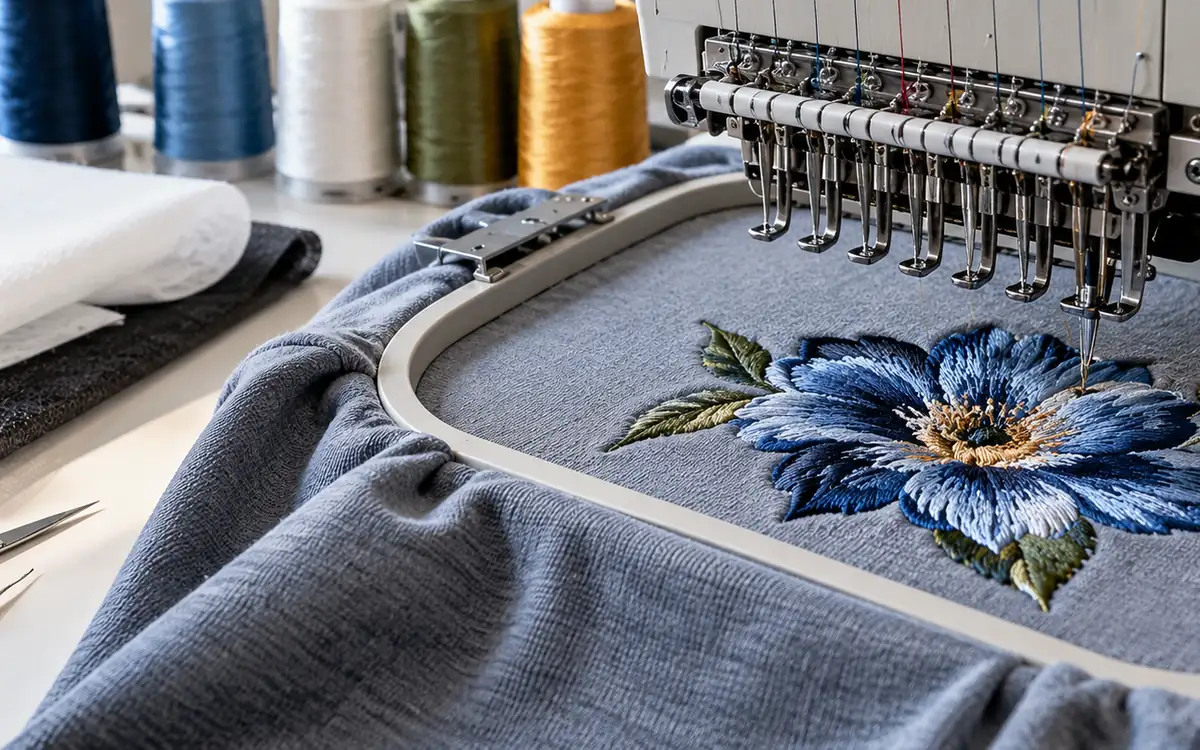
Embroidery puckering often appears with another fault. An outline may miss its fill. A circle may become oval, or small letters may crowd together. These changes can share a cause. Record each change separately.
Puckering describes unwanted waves in the fabric. Registration describes how design elements line up with one another. A flat logo can have poor registration. A correctly aligned logo can still pull the surrounding garment into waves.
Follow the design through each stage to find the cause. Watch it during stitching, hoop release and preparation for use. It connects visible changes with hooping, backing, thread control and the stitch file. The examples below are made up. They show how to investigate a fault. One trial setting is not a rule for every garment.
Preserve the design before adjusting it
Keep a failed sample in its original state. Save the exact stitch file and record its revision, dimensions and stitch count. A new file may have the same name. This can make the trial impossible to repeat.
Identify the garment style, size, colour and material lot. Record the machine, head and needle position. Add the thread products, backing and hoop. Add the operator’s loading method and the sequence of any pressing or washing.
Photograph the whole embroidery and the nearby garment. Include the reverse side and the part’s orientation. A close-up may hide a fault in the whole panel. The motif may lean toward a seam. The panel may have stretched during loading.
Mark the first stage at which each fault appears. The outline may be misplaced while still in the hoop. If so, later relaxation cannot be its only cause. If waves appear only after release, the change in support deserves attention.
Avoid pressing the failed piece before recording it. Pressing may change the visible waves without resolving the underlying condition. A repaired sample can be useful later. Keep the original evidence too.
Separate three kinds of positional error
A logo may sit in the wrong place on the garment. Its elements may fail to line up. Its shape may be distorted. Name the error before choosing a correction.
Error | Example | Main comparison |
|---|---|---|
Garment placement | Whole logo sits too close to a placket | Garment landmarks and loading references |
Internal registration | Outline sits outside its intended fill edge | Design elements at stitch checkpoints |
Shape distortion | Round emblem becomes narrow and tall | Approved geometry and relaxed sewn shape |
A placement correction may move every stitch together. It will not necessarily close a gap between a fill and its outline. Widening a fill in the file may help coverage within the logo. The whole logo may still sit in the wrong place.
Measure a few stable landmarks. Use the same points on the approved drawing and every sample. Record horizontal and vertical differences separately. A note may say “2 mm off.” It does not show the direction or which objects moved.
Consider a simple example logo. The fill’s right edge is 1.2 mm inside the intended outline. The left edge is 0.2 mm inside. That asymmetry is useful evidence. Adding the same amount to both sides may fix one edge. It may create excess overlap on the other.
Keep garment placement and internal registration on separate fields in the trial record. Their causes and acceptance limits may differ.
Observe the embroidery while it develops
The machine and software may support planned pauses. If so, prepare a test file that stops at useful stages. Keep an unchanged production file as the control. Use the pauses to see the sequence. Record any edits needed to add them.
Check after the first underlay and main fill. Check again after the final outline. Record where the fabric moves and where gaps begin. A late outline can expose distortion created much earlier.
Compare the same landmarks at each stage. Do not move the hoop or pull the garment into place between observations. Any deliberate change affects the test. Record it.
An example sample may look square after underlay. It may narrow after the dense fill. The outline then fails to line up. That history points toward the fill. Check how it works with the support. The outline may merely reveal the earlier movement.
Another sample may shift suddenly after a colour change. Check whether the garment, frame or thread path was disturbed at that point. The same final gap can arise through a different sequence.
This staged review is especially helpful for large motifs. The total stitch count tells little about where the design builds restraint. Local density, direction and overlap can matter more than the total alone.
Check whether the fabric was stretched in the hoop
Hooping should hold the work securely in the intended state. A stretch garment may look drum-tight in the hoop. Pulling it that far can hide stretch. After release, the extra fabric may form waves.
Madeira’s hooping guidance advises smoothing fabric without stretching it. With a conventional hoop, do not pull more fabric after closing it. The exact method still depends on the hoop and garment.
Put temporary reference marks on a trial piece. Choose places where the marks will not affect stitching. Suppose a relaxed 100 mm spacing becomes 108 mm after hooping. The local extension is:
(108 − 100) ÷ 100 × 100 = 8%.
That measurement does not prove the finished logo will shrink by exactly 8%. The embroidery, backing and fabric restrain each other. It shows that the sample was stretched during stitching. That state differs from the relaxed garment.
Compare a revised loading method on fresh pieces. Keep the design, thread and backing constant. Check the marks, stitch result and relaxed appearance after release.
Inspect the hoop itself. Uneven grip, wear or an unsuitable shape may let one region move. A bigger hoop is not always better. The unsupported space around the motif can also affect the result.
Some placements are delicate or hard to hoop. Use a fixture or backing approach supported by the maker. Test how well it holds and how the garment looks. Do not add temporary adhesive out of habit.
Match backing to the garment and design
The backing helps control the fabric during stitching. The garment may be stable or easy to stretch. The design adds its own demands. These decide how much support is needed. A small open motif and a large dense fill may behave differently on the same knit.
Madeira’s backing guidance distinguishes retained cut-away support from tear-away and wash-away products. These products do different jobs. They are not just different names for any sheet beneath the garment.
Check whether the backing is held properly by the chosen hoop or fixture. A strong backing may still slip against the fabric. If so, it may give less control than expected. Record how the layers are secured.
Evaluate the result after the intended backing removal. A design may look flat with excess backing in place. Removing that support may reveal distortion. The customer receives the finished state, so approval must include it.
Avoid adding layers without a clear question. More backing can increase stiffness, thickness and visible outline through the garment. It may improve one symptom while creating a comfort or appearance problem.
Compare the original backing with a suitable alternative. Where justified, also test a different holding method. Keep removal consistent and inspect both faces. Retain the actual backing codes with the samples.
Give topping a separate purpose
A topping sits above the garment surface. On suitable pile or textured fabrics, topping holds surface loops down. This can help keep small details clear. The garment may still need support underneath. Topping does not automatically replace it.
Madeira’s water-soluble topping guide describes this role on materials such as terry and coarse knit structures. Check that the removal route suits the garment.
In an example fleece logo, the letters line up well. Parts still sink into the pile. A topping trial may address that surface problem. It should not be described as a solution to all registration faults.
Compare after the topping has been removed as intended. Residue can temporarily hold fibres down and give an optimistic first impression. Check the final appearance and handle.
Removing the topping may need moisture or heat. Include that step in the process record. It may affect the fabric or decoration. A sample inspected before removal has not completed the proposed production route.
Review tension without copying another machine’s dial
Thread control can contribute to distortion. Reducing a dial setting may make the fabric look flatter. It can also create loose stitches or loops. The goal is stable stitch formation with acceptable garment appearance.
Madeira’s puckering guidance shows that tension, thread size, density and support act together. Its suggested checks should be applied to the actual thread and machine.
Inspect the thread path and bobbin condition before changing several settings. A snag, inconsistent unwinding or incorrect threading can create variable control. The fault may be local to one colour or needle position.
The machine maker may specify a tension test. If so, use that method and its units. Record the reading and the measurement conditions. A tension dial is a control position, not a universal force value.
Check both faces of a standard diagnostic element. Keep its shape, thread and backing constant while testing a focused adjustment. The reverse-side balance pattern can help with setup. Still check the full motif’s appearance and stitch security.
Retest the original design after the setup check. A simple satin column leaves out parts of the production design. These may include crossings, short stitches and dense intersections.
Distinguish needle damage from puckering
Small holes, cut loops and torn yarns around embroidery need their own investigation. They should not be described merely as waves that pressing can remove.
Groz-Beckert’s embroidery-needle guide explains needle size, point and condition. These can affect fabric damage. It also links distortion with thread size, tension and stitch density.
Confirm the correct needle system for the machine. Then review point, size and condition for the material and thread. Do not simply choose the smallest needle available. Without that review, it may cause other running problems.
Inspect densely overlapped regions under suitable magnification. Repeated needle entries may damage a small area. The rest of the motif may still look sound. Check after the required finishing or care. Damage may become easier to see at that stage.
Use fresh needles where the approved diagnostic procedure calls for them. Keep the change separate from a design edit so the result can be interpreted. Changing both may find a good combination. It will not show which change fixed the cause.
Retain any damaged sample outside the usable garment flow. Its role is evidence, not a candidate for cosmetic repair.
Examine density by area and stitch direction
Two designs may have the same stitch count. They can still make very different demands on each area. One may spread stitches over a broad area. Another may stack several layers over a small letter or corner.
Review the stitch file by objects and sequence. Identify underlay, fill, outline and any hidden overlaps. Check whether duplicated objects or unnecessary layers were added during editing.
Check coverage before reducing density. Do not apply one fixed reduction to the whole design without review. A broad reduction may expose the base fabric. It may also weaken a small feature that was already sparse.
Compare the parts that cause the fault. A trial could change fill spacing in one region while retaining the approved outline. Another could change stitch direction. Each should have a stated purpose and its own revision.
Record the software’s definition of density. Some settings express spacing between rows; others describe stitches per distance. In one system, a larger number can mean fewer stitches. In another, it can mean more.
Judge the new sample at finished size. A file may look sparse on screen but sew well. It may look orderly on screen yet create too much local bulk. The garment provides the final evidence.
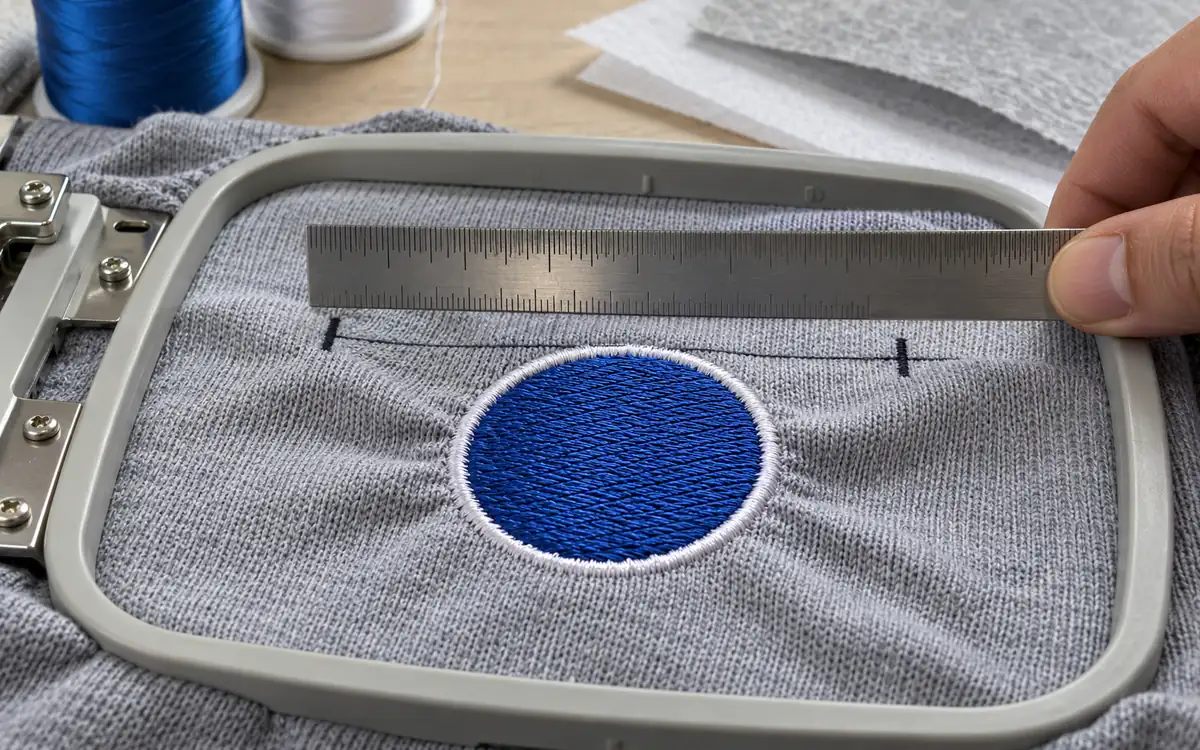
Use pull compensation for a measured shape problem
As embroidery forms, stitches can draw the material inward. Wilcom explains pull compensation as extending selected stitches beyond an object’s intended outline. This allows for that inward pull.
This is a design adjustment. It should follow a stable material, support and machine setup. The garment may slip by different amounts in the hoop. Compensation cannot reliably correct that.
Suppose an example satin feature should finish 30.0 mm wide. Across several stable trial pieces, its average relaxed width is 28.8 mm. The observed difference is 1.2 mm.
A first development question is whether an additional 0.6 mm on each side improves that feature. This is not a guaranteed correction. The software may define the value per side or use another rule. The sewn response may also be nonlinear.
Wilcom’s adjustment guidance explains that the setting depends on several factors. These include fabric, backing, hooping and object shape. It also supports separate treatment of the two sides where their conditions differ.
Save the revised file separately. Sew fresh samples and measure the same landmarks. Check adjacent objects for new overlaps. Correcting one boundary may close a gap. It can also crowd a nearby letter.
Investigate sequence-related registration
A motif builds up in time. Earlier stitches can change the surface on which later stitches are formed. The order of nearby elements therefore belongs in the diagnostic record.
Use the staged observations to choose a sequence trial. A broad fill may move the fabric before the fine outline is added. Review the fill’s support and direction. Check the outline’s shape too.
A useful original trial can compare two sequences with the same visible design. Keep the material and machine settings constant. Document which objects moved and whether total stitches or trims also changed.
Do not assume every design must run from one universal direction. A sequence may work on a flat chest logo. It may fail around a cap seam or curved garment detail. The geometry and holding method matter.
Inspect the start and finish of each problematic object. The alignment error may lie at one join. It may not affect the rest of the shape. A global resize may obscure that clue.
The revised sequence should retain acceptable thread security and appearance. Check more than gaps. The change must not create long exposed travel stitches or unstable starts.
Use head and needle patterns to narrow the cause
On a multihead machine, compare results by head and needle position. Do not combine them into one pass rate before examining the pattern.
Suppose six heads run the same motif. Five show similar registration, while one produces a repeated offset. That pattern points to the affected head. Check its frame connection and local setup. It gives less support to a design-wide correction.
If the same colour fails on several heads, examine its thread, needle setup and design region. Failures may follow a garment lot across machines. If so, give the material and support more attention.
The machine procedure may allow a controlled swap. If so, record exactly what changes. Otherwise, the swap gives little useful evidence. Moving thread, garment and file at once destroys the diagnostic value.
Retain a simple grid:
Comparison | What stays fixed | What the result may help locate |
|---|---|---|
Same file across heads | Garment and process | A head-specific condition |
Same head across garment lots | File and setup | A material-related condition |
Same garment with revised backing | File and machine | A support-related condition |
Same stack with revised object | Machine and holding | A design-related condition |
These comparisons guide investigation. They do not prove a single cause without a repeat and an appropriate check of the alternatives.
Work through a hypothetical correction trial
A team is developing an 80 mm logo on a lightweight knit. The outline misses the fill near the right edge, and waves appear after unhooping. It first records the existing condition as A.
The team then tests a less stretched loading method as B. Condition C uses B’s loading method with a suitable retained backing. Condition D adds a focused fill adjustment to C. Each group contains separately hooped and stitched garments.
Condition | Maximum observed outline gap | Relaxed appearance | Other observation |
|---|---|---|---|
A | 1.8 mm | Clear waves | Reference marks stretched during loading |
B | 1.2 mm | Fewer waves | Some fill-edge movement remains |
C | 0.6 mm | Nearly flat | Support remains after trimming |
D | 0.3 mm | Flat in this sample set | Coverage and hand remain acceptable |
The readings are illustrative, not universal limits. They show a sequence in which several contributors matter. The improvement from A to B supports further attention to loading. C and D add evidence about support and the selected design change.
The team should not claim that D proves all future garments will pass. It needs a suitable confirmation run. Add after-care checks and the agreed appearance decision. The retained samples explain why the final combination was chosen.
Also note the trial’s limits. The trial added changes in sequence. It does not measure every way the factors interact. The response may be unstable or the effects unclear. If so, plan a more structured comparison.
Assess the state the customer will receive
Inspect after unhooping, backing removal and the intended finishing. Include care testing when it forms part of the product requirements. Record the same sample through these stages.
Check the surrounding garment as well as the logo. A flat motif may sit on a distorted panel. A backing may show through a light fabric. A smooth face may conceal a rough reverse side.
Use a consistent viewing setup and the approved reference. Avoid pulling the garment flat for one sample and leaving another relaxed. Differences in presentation can imitate improvement.
Keep pucker appearance separate from measured registration. A 0.3 mm outline gap says nothing by itself about the severity of waves. Use the project’s agreed assessment for each feature.
ApparelDiary’s seam-puckering diagnosis covers assembly seams and their distinct checks. Decorative embroidery needs more evidence. Check the stitched area, hoop and digitizing as described here.
Pressing may be part of the approved finish. If so, test whether its effect lasts through the required later stages. A temporarily flat sample should not replace evidence of the delivered condition.
Turn the correction into a repeatable setup
Keep the approved file, garment, thread, backing and fixture identities together. Include the loading reference and any measured setup conditions. A note saying “use lighter tension” is too vague for the next shift.
Retain the failed and corrected samples with their trial records. These samples help operators recognise the actual defect. They can then avoid a cosmetic change that only hides it.
Define which changes require review. A different garment colour may have a different finish. A new thread size may require density and needle changes. Scaling the artwork can change small features and local overlap.
Use the approved production file, not a preview image or an earlier export. Confirm how the machine reads the file and preserves its dimensions. A version-control error can look like a new technical fault.
Monitor the first pieces and the relevant head positions after setup. If a failure returns, compare it with the original diagnostic pattern. The records should make that comparison quick and specific.
Questions from embroidery teams
Will heavier backing always remove puckering?
It may improve support, but it can also increase bulk and stiffness. Choose a backing that suits the garment and design. Test it after removal or trimming and through the required care.
Should pull compensation be increased whenever an outline misses?
First determine which object moved and whether the holding setup is stable. A shifted frame, stretched garment or local sequence effect may need another correction. Compensation is most useful for a repeatable shape change.
Does slowing the machine prove the design is correct?
A slower trial may change the result. It does not identify every cause. Record the change and confirm the complete garment. If production needs another speed, that condition also needs suitable evidence.
Can the same logo file be used on a shirt and a cap?
Only if both applications have been qualified. Their shape, support, access and movement can differ. A shared graphic does not guarantee a shared stitch setup.
Follow the movement, then choose the correction
Watch how the motif changes during stitching. Then watch it as support is removed. This helps locate the cause. Hooping and backing may contribute to the fault. Thread control and digitizing may add other effects.
Keep those observations distinct and use focused trials. The approved result needs clear alignment and sound stitches. The garment surface must also look right in the state the customer will use.
References
Madeira: Embroidery backing selection
Madeira: Water-soluble toppings
Madeira: Avoiding embroidery puckering


Discussion0
Loading the discussion…