
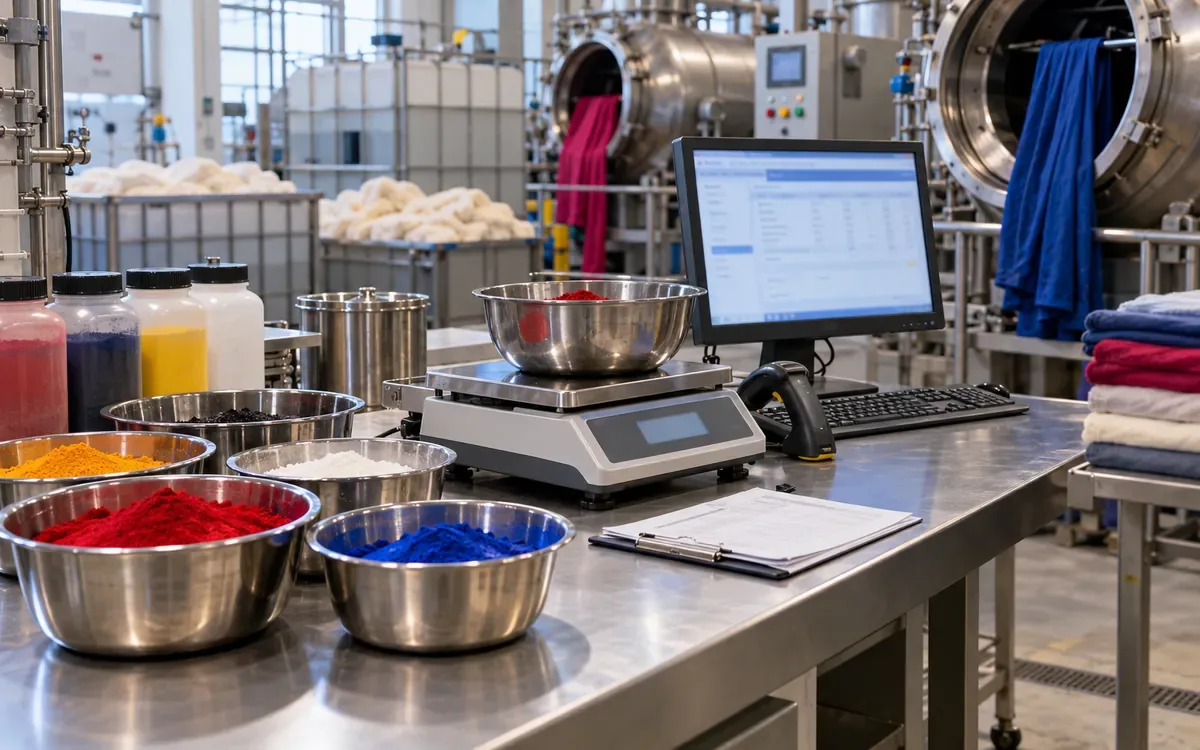
A dye recipe can be correct on screen and wrong at the weighing bench. The batch weight may have changed. A dye lot may use a different strength factor. The operator may have scanned the right product but selected the wrong recipe version.
Dye recipe management software should preserve these links. It needs to show which formula was approved, how the batch targets were calculated, and what was actually weighed.
This is more than storing a list of dyes. Datacolor describes separate tools for production rules, batch tickets, and guided weighing. Sedo Treepoint describes links between recipe systems, scales, dispensers, and production management. Those are useful capabilities, but their value depends on the way the dyehouse sets up and tests the workflow. Datacolor Process, Ticket and Weigh SedoMaster
The examples below are hypothetical software tests. Their amounts and tolerances are not production dyeing instructions. A qualified process owner must approve actual recipes, product substitutions, and operating limits.
Define the boundary from recipe to batch
Begin with one traceable chain. An approved recipe version generates a batch calculation. That calculation creates weighing tasks. Completed tasks record actual material and quantity. The batch history retains the full chain.
Do not make the master recipe and the batch ticket the same editable record. The master describes the approved basis. The ticket records how that basis was applied to a specific batch.
A useful design has four linked records:
Record | Main purpose | Key identity |
Recipe version | Approved formula and process basis | Recipe ID plus version |
Batch calculation | Targets for known batch inputs | Batch ID plus calculation revision |
Weighing task | One material addition to prepare | Task ID plus addition step |
Actual weighing | What was measured and accepted | Weighing record ID |
These are proposed design records, not a claim that every product uses the same database. Map them to the chosen software's supported model.
Name the owner of each change. A recipe author may revise a formula. A planner may change a batch load. An operator may record actual weight. Each action has a different effect and should remain visible.
Store the basis of every recipe line
A number such as 1.2 is not enough. The software must know what that number means.
A line may use a percentage of fabric weight. Another may use grams per litre of bath. A third may specify a fixed amount for one process step. Some recipes need more complex rules.
Keep the basis beside the value. Store the unit, material identity, addition step, and any approved correction rule. Do not rely on a note that only one experienced dyer understands.
Sedo Treepoint's ColorMaster description shows why process structure matters. Its treatment model includes the sequence, chemicals, dyes, parameters, and operator instructions. The quantities belong within that treatment context. ColorMaster process model
Use distinct fields for dry fabric mass, bath volume, and any other calculation input. A field called Quantity invites mistakes if different users fill it with different concepts.
For fabric mass, state the agreed basis. Is it a measured load, a nominal order weight, or a corrected dry-mass value? Keep the source and unit. If the basis changes, the calculation needs review.
Freeze the approved version used by a batch
A recipe should move through a defined review path. Draft, reviewed, approved, and retired are useful states when the software supports them. The exact labels matter less than their effect.
Only an approved version should create a normal production ticket. A trial may follow a separate, clearly marked route. That trial should not silently become the default for bulk production.
Once a batch uses version 3, keep that link. If a dyer creates version 4 tomorrow, yesterday's batch must still show version 3. Reopening its history should not recalculate the past with today's master data.
Store the actual calculation inputs too. Keeping only the recipe version is not enough when the targets also depend on batch weight, machine, bath volume, or a material factor.
Datacolor's specification lists recipe status, production history, and batch-specific adjustments among its capabilities. Use a demonstration to check how the installed edition preserves the exact released values. A feature name alone does not prove the history is immutable. Datacolor specification
Calculate a fabric-weight line step by step
Assume the test recipe calls for 1.2% of a named commercial dye product on a 500 kg fabric basis. In this example, the percentage already refers to that supplied product. No strength correction has yet been applied.
Let W be fabric mass in kilograms. Let p be the percentage value. The target product mass M is:
M = W × p ÷ 100
M = 500 kg × 1.2 ÷ 100 = 6 kg
The software should show 6 kg as the calculated target. It should also retain 500 kg and 1.2%, so a reviewer can reproduce the result.
Now test a batch change to 450 kg before weighing starts.
Revised M = 450 kg × 1.2 ÷ 100 = 5.4 kg
The difference is 0.6 kg. A ticket still showing 6 kg is stale for that revised basis.
The application should not merely change the batch header. It must recalculate or hold the affected tasks according to the approved workflow. Already completed tasks need a separate decision; they cannot be treated as though nobody has weighed them.
Keep bath-volume lines on their own basis
Assume a second test line calls for 2 g of a supplied auxiliary per litre of bath. The agreed test bath volume is 4,000 L.
Let c be the dose in grams per litre and V the volume in litres. Divide by 1,000 to convert grams to kilograms.
Product mass = c × V ÷ 1,000
Product mass = 2 g/L × 4,000 L ÷ 1,000 = 8 kg
The volume in this example can also be derived from a specified 8 L per kilogram and a 500 kg load:
Bath volume = 8 L/kg × 500 kg = 4,000 L
Do not assume every liquid step uses that same volume. A process may have different baths or call-offs. Datacolor's support guidance describes recipe rules for bath volume and liquor-ratio changes, including product-specific rules. This supports checking the actual operation basis rather than using one blanket multiplier. Datacolor recipe support
For the software test, change only the bath volume and confirm which lines move. The fabric-weight line should not change merely because a volume field changed, unless an approved rule says it should.
This test catches hidden dependencies in a formula engine.
Distinguish colour strength from active concentration
Two percentages may describe different things. A relative colour-strength factor is not automatically the active mass fraction of a chemical solution.
Suppose the approved test rule treats a replacement dye lot as 120% of the reference strength. The reference target is 6 kg at 100% strength. Under that simplified, approved rule:
Adjusted dye mass = Reference mass × Reference strength ÷ New strength
Adjusted dye mass = 6 kg × 100 ÷ 120 = 5 kg
This is a test of the software's rule. It does not establish that any real dye substitution will match shade. Compatibility, colour data, and process behaviour still need approval.
Now consider a separate liquid product. The test requires 2 kg of an active ingredient. The supplied solution is 40% active by mass.
Solution mass = Required active mass ÷ Active mass fraction
Solution mass = 2 kg ÷ 0.40 = 5 kg
If the approved density for the relevant conditions is 1.25 kg/L, the corresponding volume is:
Solution volume = 5 kg ÷ 1.25 kg/L = 4 L
These are separate cases. Do not apply both corrections to the same line unless its approved model requires both. State whether a value is mass fraction, mass per volume, or relative colour strength.
Prevent double correction
A common design trap is applying a factor in two systems. The recipe tool adjusts a target, then the weighing tool adjusts it again.
In the strength example, the correct adjusted target is 5 kg. Applying the same 100/120 factor again would produce about 4.167 kg.
Incorrect second adjustment = 5 kg × 100 ÷ 120 = 4.1667 kg
The shortfall from the intended 5 kg is about 0.8333 kg. That is 16.67% of the correct target.
Mark whether a transferred quantity is a reference-basis amount or the final weighable amount. Include the factor version and calculation revision. The receiving application must know which one it has.
Run this exact case during interface testing. A data file can contain a valid number and still carry the wrong meaning. Compare the source formula, transferred value, and displayed target together.
Link the approved product to the chosen lot
A product code identifies the required material. A lot code identifies the stock being used. Both are needed when the lot affects availability, status, or an approved adjustment.
At task release, check that the selected lot is valid for that material and use. If the lot is held, expired under the site's rules, or awaiting review, the normal task should not proceed.
Do not treat a matching barcode as proof of product suitability. It proves only that the scanned value maps to a record. The record and its status must also be correct.
Color Service describes PESMAN as a manual weighing station linked to recipe management. Its barcode reader and label printer support material identification and task labelling. This is an example of guided manual work rather than a requirement for full automatic dosing. PESMAN
Test a wrong product, a wrong lot of the right product, and a valid alternative lot. The system should distinguish all three. An approved alternative needs its own visible decision, not a silent barcode alias.
Select a scale for the target range
A scale that can weigh a large container may not suit a tiny addition. Display resolution alone does not prove that the measurement meets the process tolerance.
METTLER TOLEDO's weighing guidance relates suitability to maximum gross weight, smallest net weight, tolerance, and measurement uncertainty. It compares the required smallest weight with the instrument's suitable range. Scale suitability guidance
Build that decision into task routing. For a hypothetical station, suppose the approved smallest net amount is 80 g. A 20 g task should be routed elsewhere or handled through an approved preparation method. Software should not display a normal green pass simply because 20 g appears on the screen.
The container also matters. Check gross capacity, not only net chemical mass. A heavy vessel can exceed a scale's capacity even when the intended addition is small.
Keep instrument identity in the actual record. If the scale later fails a check, the team needs to find the affected weighings. A generic station name is too broad when several instruments serve it.
Separate tolerance from measurement capability
The acceptance band says which measured amounts the process permits. The scale's uncertainty says something different about confidence in the measurement.
Suppose a test task has a 5.000 kg target and an approved display-based tolerance of plus or minus 0.5%. The band width is:
Tolerance mass = 5.000 kg × 0.5 ÷ 100 = 0.025 kg
That is 25 g. The simple displayed interval is 4.975 kg to 5.025 kg.
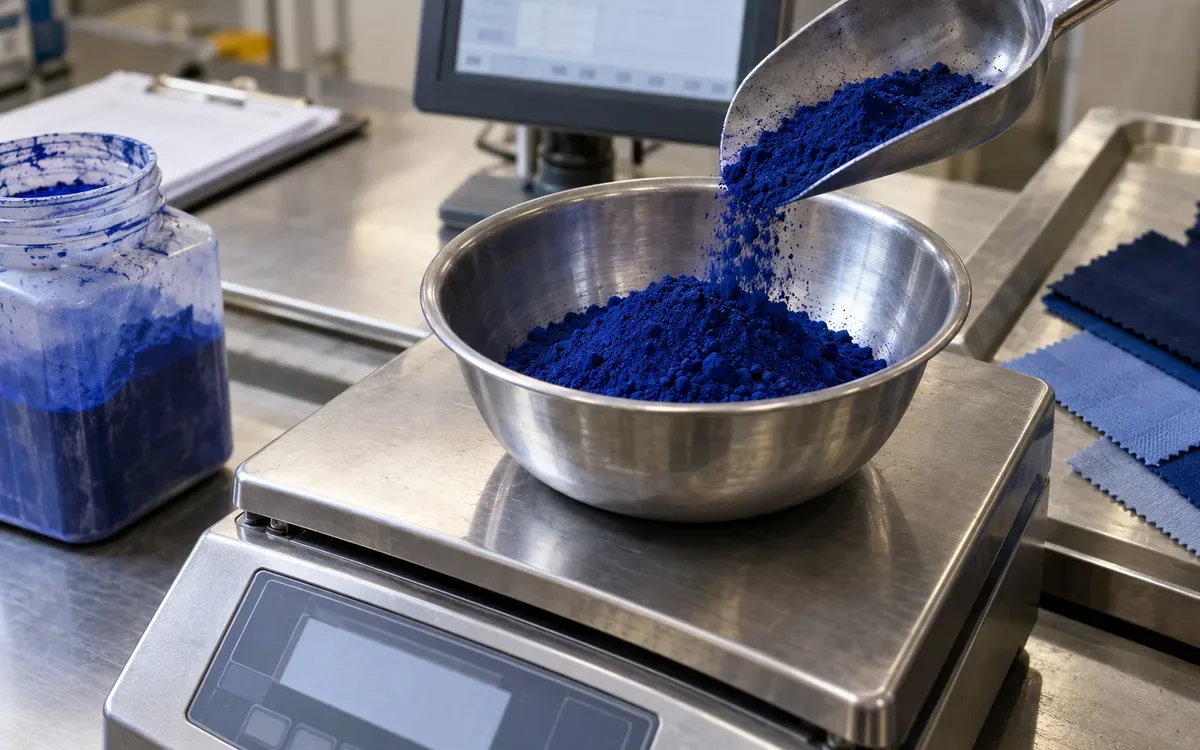
A stable reading of 5.015 kg falls within that interval. Its deviation is 15 g, or 0.3% of target.
Relative deviation = (5.015 − 5.000) ÷ 5.000 × 100 = 0.3%
This arithmetic alone is not a full acceptance decision. The process owner must also consider the measurement system and any required decision rule.
METTLER TOLEDO distinguishes process tolerances from manufacturer and legal tolerances. Passing a different tolerance regime does not by itself prove suitability for this recipe task. Calibration and tolerance guidance
Use documented limits. Do not widen them in software just to stop repeated alarms.
Capture tare, gross, and net clearly
A useful weighing record keeps the values needed to explain the accepted net amount. It should distinguish the container tare from the loaded gross mass.
For a test container with 1.200 kg tare and 6.420 kg gross:
Net mass = Gross mass − Tare mass
Net mass = 6.420 kg − 1.200 kg = 5.220 kg
Against a 5.000 kg target, that is 220 g high, or 4.4%. It does not fit the earlier plus or minus 0.5% example band.
The screen should make the exception clear. It should not quietly store the target as the actual value.
Also test a changed container after tare. If the operator swaps vessels, the stored tare may no longer apply. The workflow needs a new valid tare or an approved correction path.
Retain the scale's stable-reading status where the supported interface provides it. Check the unit returned by the instrument. A response in grams interpreted as kilograms creates a serious data error.
Keep task completion separate from physical addition
Weighed, dispatched from the colour kitchen, and added to the machine are different states. A prepared container can wait on a trolley. Its contents may not yet have entered the batch.
Design a label that links the container to the batch, task, product, and addition step. The receiving operator should be able to confirm the intended use.
If several containers serve one task, record their relationship. For example, two accepted 2.5 kg containers may fulfil a 5 kg task. The sum should be clear without pretending one physical weighing occurred.
Do not assume a printer action proves a container was received. Nor does a receive scan prove the addition was completed. Choose the evidence required for each transition.
Keep the process instructions attached to the right step. The software should direct staff to the approved procedure for order, preparation, and handling. A quantity calculation cannot replace those instructions.
Handle a batch change after weighing starts
Suppose 5 kg has been weighed for the 500 kg test batch. The fabric load then drops to 450 kg. Under the same adjusted basis, the new target would be 4.5 kg.
The system must expose the difference. It cannot simply change the target and keep the task marked complete.
A reviewer needs to know whether the material remains in a labelled container, has been dispatched, or has entered the machine. The available responses depend on that physical state and the approved process.
Hold affected work until the responsible person chooses a valid path. Keep the original target, actual amount, revised target, and decision together. Do not erase the first calculation.
The same principle applies to a recipe change. A new version must not silently rewrite a batch already in progress. Identify which tasks are affected and which remain valid.
This is where a versioned ticket adds practical value. Staff can see the exact basis of the material already prepared.
Reconcile planned, weighed, issued, and consumed amounts
These four quantities answer different questions. Planned is the calculated need. Weighed is the measured preparation. Issued is the stock movement. Consumed is the amount attributed to the process under the site's accounting rule.
A system may use different names, so define them before building reports.
Assume the test target is 5.000 kg. The accepted net weighing is 5.015 kg. Stock records show 5.100 kg issued because 85 g remained in a transfer container and was later returned.
The simple reconciliation is:
Net stock issue = Gross issue − Verified return
Net stock issue = 5.100 kg − 0.085 kg = 5.015 kg
That matches the accepted weighing in this example. It does not prove that all 5.015 kg reached the fabric. The process may have other measured losses or residues.
Record those facts through the approved workflow. Do not force all quantities to be equal merely to remove a variance.
For cost analysis after the quantities are trustworthy, ApparelDiary's dyeing recipe cost regression guide covers a different analytical task.
Test the interfaces with known answers
SedoMaster describes connections to scales, recipe systems, ERP, inventory, and dispensers. Each connection needs a shared meaning for the values exchanged. SedoMaster interfaces
Build a small acceptance set before testing a large live batch. Include expected targets and outcomes.
Test case | Required result |
500 kg at 1.2% | 6 kg before the separate strength rule |
450 kg at 1.2% | 5.4 kg before that rule |
6 kg at 100/120 strength ratio | 5 kg, with no second correction |
2 g/L in 4,000 L | 8 kg |
Wrong material scan | Task remains incomplete |
Scale unit changes | Correct conversion or clear rejection |
Batch revised after weighing | Affected work held for review |
Same accepted result sent twice | One actual weighing record |
Connection lost after acceptance | Recovery preserves the accepted result |
These are test requirements for the proposed design. They are not claims that a named vendor already passes them.
Keep the full input and output for each case. A total count of successful messages cannot show whether the right recipe revision reached the weighing station.
Catch a correct weight assigned to the wrong task
Consider two open batches at the same bench. Each needs 5 kg of the same product. One task is for an early addition to BatchA. The other is for a later addition to BatchB. Both weights can pass their limits while the containers carry the wrong task labels.
This is an identity error. More decimal places will not find it. The operator needs to confirm the batch and addition step before the result is accepted and labelled.
For the pilot, place both tasks in the queue. Complete the first, then try to reuse its label for the second. The system should expose the conflict. It should also make a reprint distinct from a new weighing, so a damaged label does not create a second prepared container in the records.
Ask the supervisor to trace one container without relying on its position on the trolley. They should find the batch, step, recipe revision, product lot, scale, and accepted net weight. If the label points only to a product code, the link is too weak for this case.
Keep the label text readable at the bench. A long identifier can support software lookup, but staff still need enough plain text to spot an obvious mismatch before moving the container.
Review exceptions before using performance figures
A high task-completion rate can hide wrong or forced completions. Review overrides, manual entries, repeated tare changes, and quantities accepted near a limit.
Group issues by their real cause. A poor barcode label needs different work from an unsuitable scale. A stale recipe ticket needs different work from a wrong material master.
Do not use the exception count alone to judge operators. A rise may mean the software has started exposing errors that were previously hidden. Inspect the evidence and the physical process.
Choose a small review set: first-pass valid weighings, manual overrides, failed material checks, and unresolved batch changes. Define the denominator and time window for each.
Use these findings to improve the workflow. The aim is a reliable link from recipe to actual use, not a screen with no red messages.
Common questions
Can recipe software guarantee the right shade?
No. It can support consistent calculation and execution. Material variation, process conditions, measurement, and the recipe's technical suitability still matter. Verify the result through the approved quality process.
Can a spreadsheet perform the calculations?
It can, if the formulas and inputs are controlled. The harder work is often preserving versions, instrument readings, material identities, and task states across people and systems. Assess those needs as well as arithmetic.
Should every dyehouse automate dispensing?
The right choice depends on its work and equipment. Guided manual weighing can still link recipe targets, scans, scale readings, and records. Automatic dispensing introduces its own controls and tests.
Is calibration enough without routine checks?
A calibration records instrument performance under stated conditions. Routine checks help detect changes between calibrations. The schedule and limits should follow the process and instrument assessment. METTLER TOLEDO calibration guidance
Preserve the link from approval to actual use
Start with a recipe whose units and bases are clear. Freeze the version used by each batch. Route each task to suitable equipment and verify the chosen material lot.
Keep the accepted weight as an actual measurement. Show later batch changes and exceptions without rewriting history. Finally, reconcile the quantities with the physical work they describe.
That chain makes software useful at the weighing bench. A reviewer can explain why a target was 5 kg, which material was used, and what amount was accepted.
Weighing accuracy supports recipe calculation, so see dyeing liquor ratio calculation, regression for recipe cost, fabric colour approval and dyehouse water hardness.


Discussion0
Loading the discussion…